
- 28 min read
The 12 Best Google Alerts Alternatives For 2026
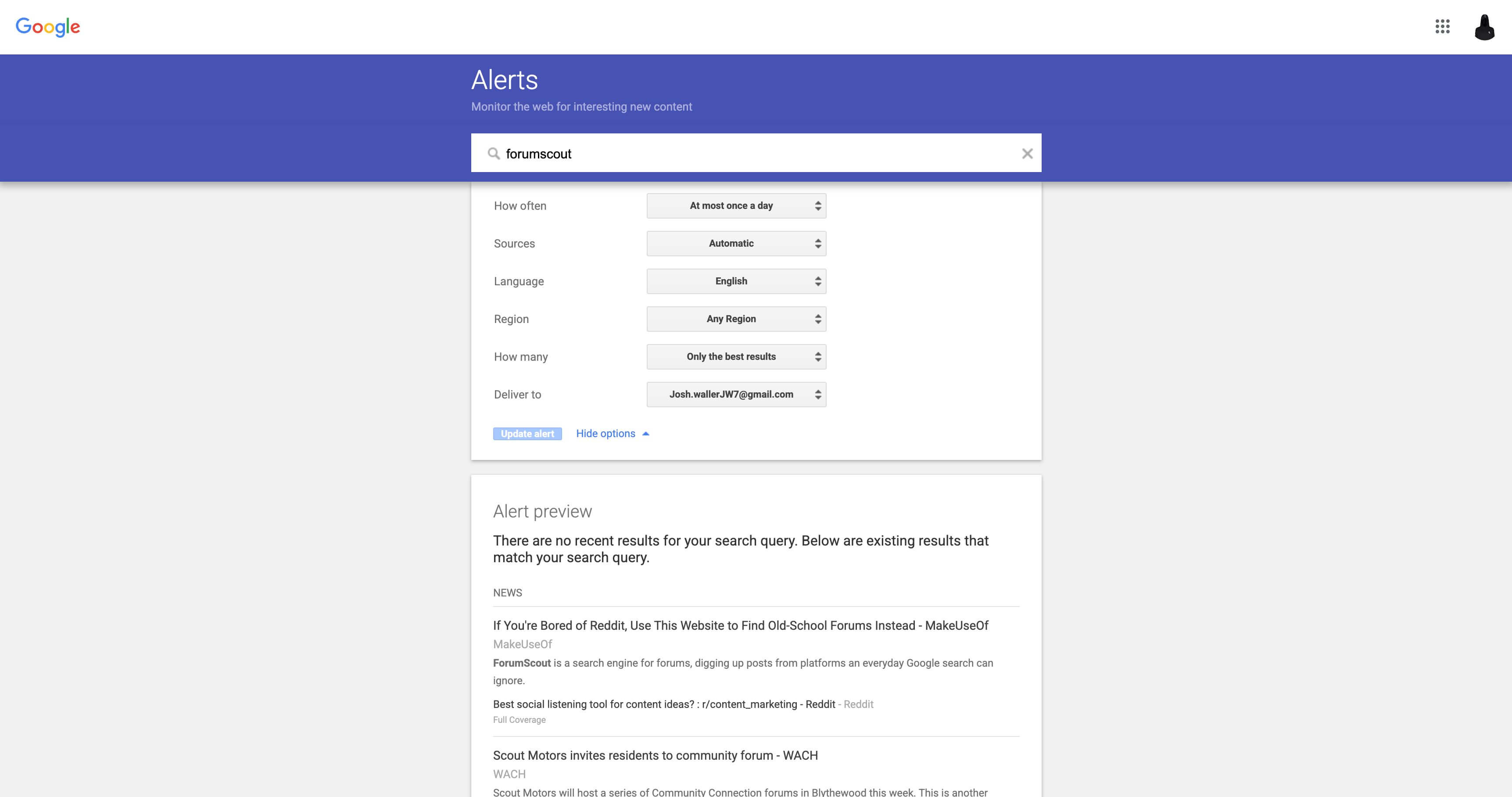
For over a decade, Google Alerts has been the go-to free tool for tracking online mentions. It's simple, familiar, and costs nothing. However, for businesses needing more than just basic email notifications, its limitations quickly become apparent. Inconsistent delivery, a lack of deep analytics, and a focus primarily on news and blogs mean you’re likely missing crucial conversations happening on social media, forums, and review sites.
If you’re a small business owner, marketer, or community manager, you need timely and comprehensive insights. You need to know what customers are saying about your brand, what your competitors are up to, and where new opportunities for growth are emerging. Relying solely on Google Alerts in 2026 is like trying to navigate a city with an outdated map; you’ll miss the most important routes.
This guide provides a comprehensive breakdown of the best Google Alerts alternative platforms available today. We’ve gone beyond surface-level descriptions to give you an actionable resource. Each entry includes detailed pros and cons, specific use cases, and transparent pricing information to help you make an informed decision without wasting time on free trials for tools that don't fit your needs.
We’ll explore everything from free, powerful alternatives like Talkwalker to specialised monitoring tools for social media and forums. Many of these platforms offer advanced capabilities that Google Alerts lacks, such as detailed analytics and performance tracking. When considering alternatives to Google Alerts, it's worth noting that many advanced options go beyond simple keyword tracking to offer sophisticated features like sentiment analysis. For a deeper understanding of this capability and specific tools specifically for customer sentiment analysis, you can explore platforms dedicated to interpreting customer tone and emotion. Our goal is to help you find the right tool to monitor the web effectively.
1. ForumScout
ForumScout positions itself as an intelligent, AI-first social listening tool and a powerful Google Alerts alternative for teams that need actionable insights without the enterprise-level cost. It moves beyond simple keyword notifications by monitoring millions of sources in real-time, including Reddit, X (Twitter), LinkedIn, forums, and news, and applying a layer of AI to filter out the noise. This ensures you only receive alerts for mentions that truly matter.
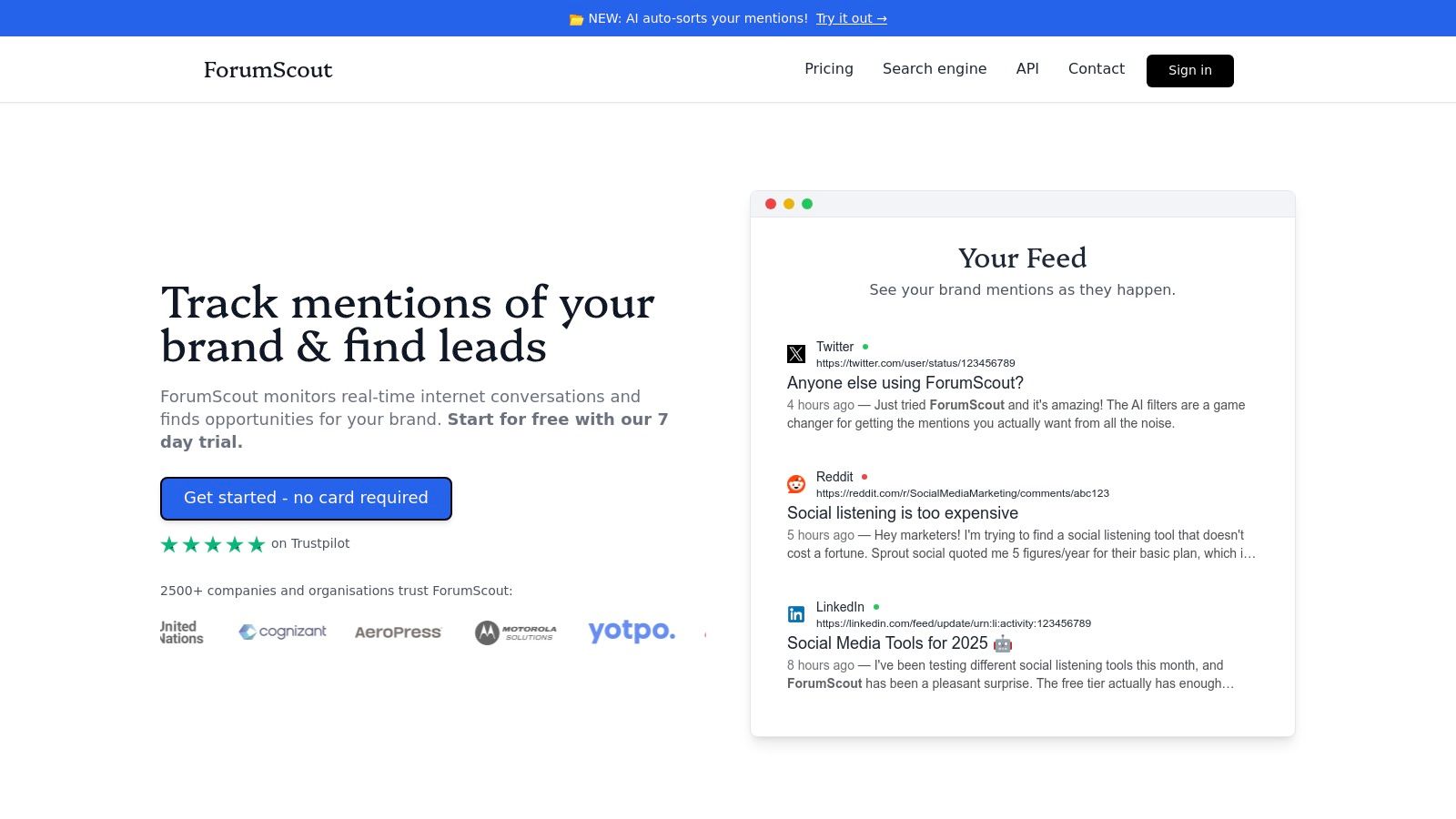
Its standout feature is the natural language AI filtering. Instead of complex boolean operators, you can write criteria in plain English, such as "only show me posts where someone is asking for a software recommendation". Each result is then scored for relevance with a clear explanation, saving hours of manual sifting. This makes it an exceptional tool for lead generation, competitor analysis, and proactive community engagement.
Key Differentiators & Use Cases
- AI-Powered Precision: The platform’s natural language filters and automated match scoring deliver highly relevant results, a significant upgrade from the often noisy feed of standard alert systems.
- Actionable Analytics: Beyond alerts, it provides sentiment and Plutchik emotion analysis, audience breakdowns, and share-of-voice tracking, transforming raw mentions into strategic intelligence. Its "Weakness Finder" feature is particularly useful for identifying competitor vulnerabilities mentioned in public conversations.
- Affordable and Scalable: With a starting price of just $19/month and unlimited seats included on paid plans, it offers enterprise-grade capabilities that are accessible to startups, SMBs, and agencies. The transparent pricing and 7-day free trial make it easy to evaluate. For those specifically interested in discussion platforms, you can learn more about how ForumScout's technology works as a comprehensive forum search engine.
Pricing & Platform Details
| Feature | Details |
|---|---|
| Pricing | Starts at $19/mo (Growth), with $49/mo (Business) and $129/mo (Enterprise) tiers. A 7-day free trial is available without a credit card. |
| Core Offering | Real-time alerts, AI filtering, sentiment & emotion analysis, competitor intelligence, and integrations via Google Sheets and webhooks (Zapier/Make). |
| Pros | Intuitive AI filters, highly affordable, comprehensive analytics, and unlimited user seats. |
| Cons | Post retention is limited on lower-tier plans, and updates are hourly rather than instantaneous. |
| Best For | SMBs, marketing agencies, and founders needing an affordable, high-ROI tool for lead generation, brand monitoring, and competitive research. |
| Website | https://forumscout.app |
2. Talkwalker Alerts
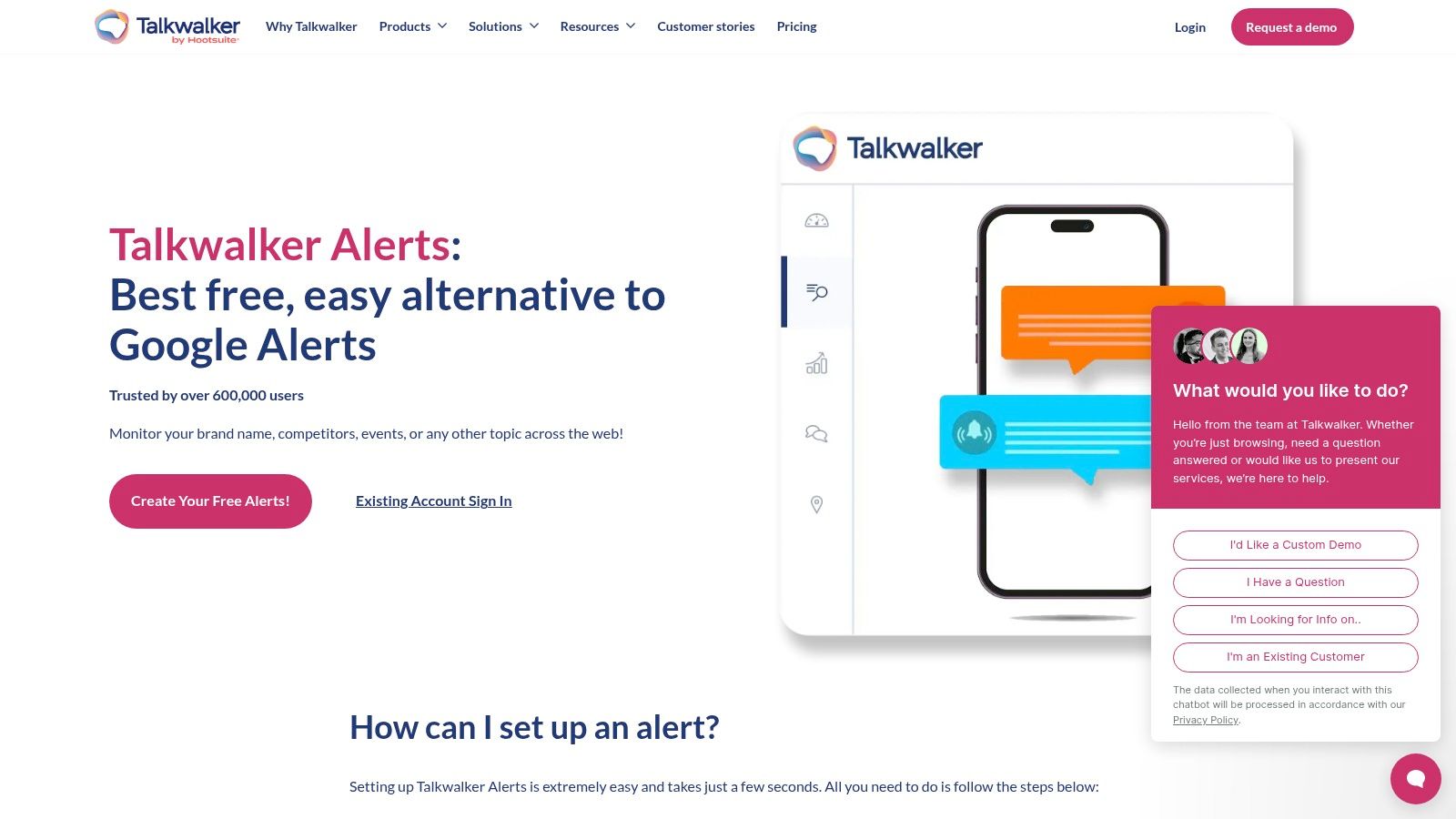
Talkwalker Alerts is a well-regarded, free google alerts alternative that directly addresses some of its predecessor's most significant shortcomings. It offers a straightforward, "set-and-forget" experience for tracking mentions of your brand, keywords, or competitors across news sites, blogs, forums, and crucially, Twitter/X. This makes it an immediate upgrade for individuals and small teams who need simple, reliable monitoring without the complexity of a full media intelligence suite.
The platform is designed for users who want a quick setup and immediate value. Its interface is clean, allowing you to create an alert and preview the kind of results it will generate in just a few clicks. This immediate feedback loop is a significant user experience improvement over Google's more opaque system.
Key Features & Use Cases
Talkwalker Alerts stands out by offering more control over your notifications than Google. You can filter results by source type (News, Blogs, Discussions, Twitter/X) and choose your delivery frequency, from real-time ("as it happens") to daily or weekly digests. It also supports delivery to RSS feeds or even a Slack channel, which is perfect for teams wanting to monitor mentions collaboratively.
Practical Tip: Use the "only the best results" filter to reduce noise. This is particularly useful for broad keywords that might generate a high volume of low-relevance mentions, helping you focus only on what truly matters.
- Best For: Individuals, solopreneurs, and small businesses needing a free, reliable monitoring tool that includes social media.
- Pricing: Completely free. It serves as a lead generation tool for Talkwalker's paid social listening platform.
- Unique Feature: The inclusion of Twitter/X monitoring is its primary differentiator from Google Alerts, making it invaluable for real-time social listening.
- Pros: Quick setup, covers Twitter/X, and offers more delivery options like Slack and RSS.
- Cons: Lacks the in-depth analytics, reporting, and team-based workflows found in paid tools. For a deeper analysis of its limitations, you can explore other Talkwalker alternatives for more advanced needs.
Website: https://www.talkwalker.com/alerts
3. Mention
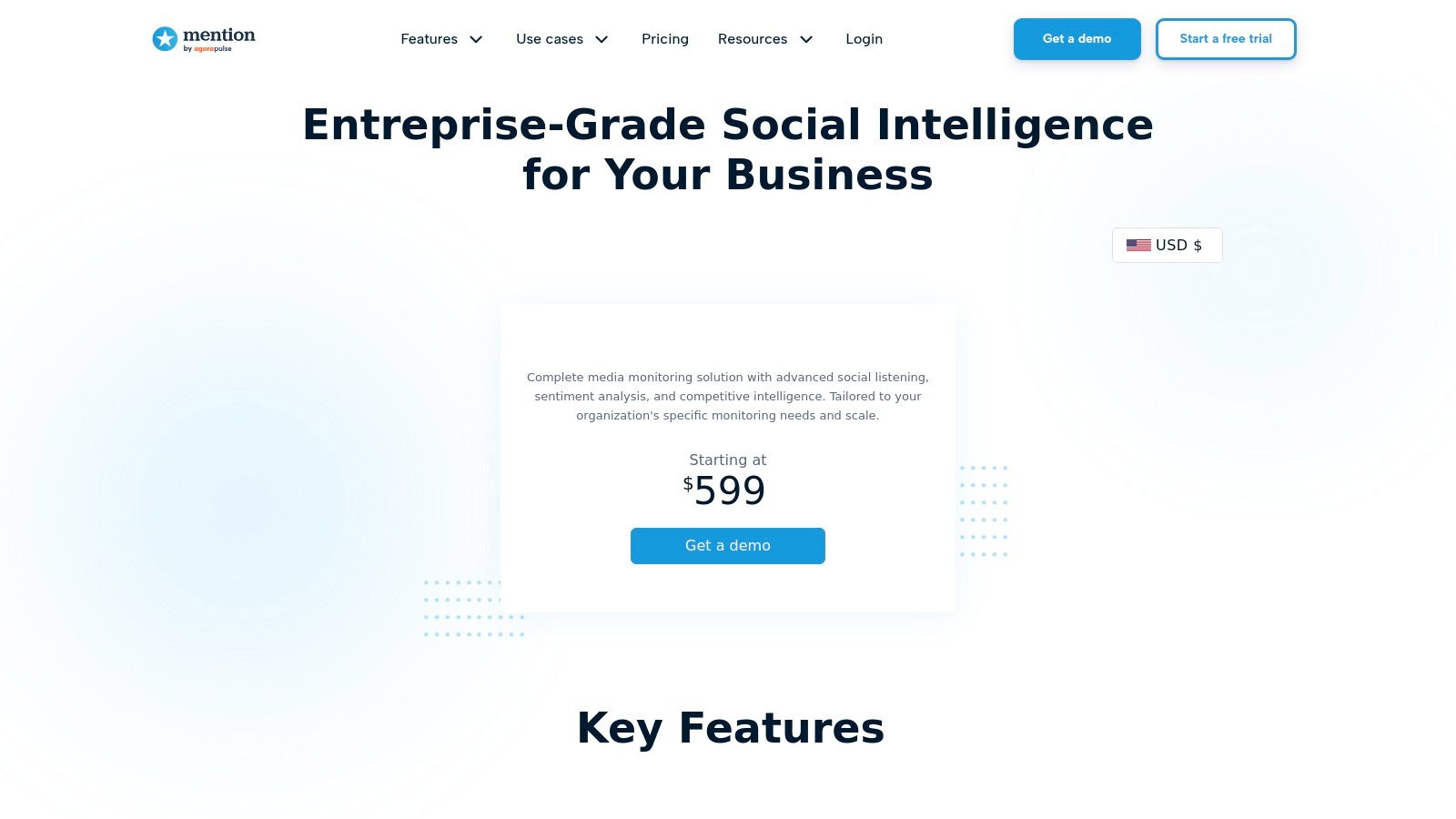
Mention is a powerful, enterprise-grade google alerts alternative built for brands that require comprehensive media monitoring and social listening. It moves far beyond basic keyword tracking, offering real-time alerts from a vast array of sources including news, blogs, forums, review sites, and major social media platforms like X/Twitter, Instagram, Facebook, and TikTok. This makes it an ideal solution for UK and global brands needing to protect their reputation, analyse competitors, and measure share of voice with precision.
The platform is designed for marketing and PR teams that need detailed analytics and collaborative workflows. Its dashboard provides sentiment analysis, competitive benchmarking, and customisable reports, allowing users to transform raw data into strategic insights. The ability to manage multiple projects and user accounts makes it a scalable tool for growing agencies and in-house teams.
Key Features & Use Cases
Mention's strength lies in its advanced filtering and analytical capabilities. Users can leverage Boolean search operators to create highly specific queries, eliminating noise and homing in on the most relevant conversations. The platform’s robust API and integrations with tools like Slack and Zapier enable automated workflows, ensuring that critical mentions are actioned immediately by the correct team members.
Practical Tip: Use Mention's historical data add-on when conducting initial market research or a competitive analysis. This allows you to look back up to two years, providing a much richer context than real-time monitoring alone and revealing long-term trends in brand sentiment or competitor activity.
- Best For: Marketing agencies, PR teams, and established brands needing in-depth analytics, collaborative features, and broad source coverage including review sites.
- Pricing: Paid plans with pricing starting higher than typical SMB tools, reflecting its enterprise focus. A limited free plan is available for basic monitoring.
- Unique Feature: Its extensive coverage, including key review platforms, combined with sophisticated sentiment analysis and white-label reporting, sets it apart for professional brand management.
- Pros: Broad source coverage, powerful Boolean search, enterprise-level support, and options for accessing historical data.
- Cons: Higher entry-level price point makes it less accessible for solopreneurs or very small businesses. Some social media publishing features have been moved to its sister product, Agorapulse.
Website: https://mention.com/en/pricing/
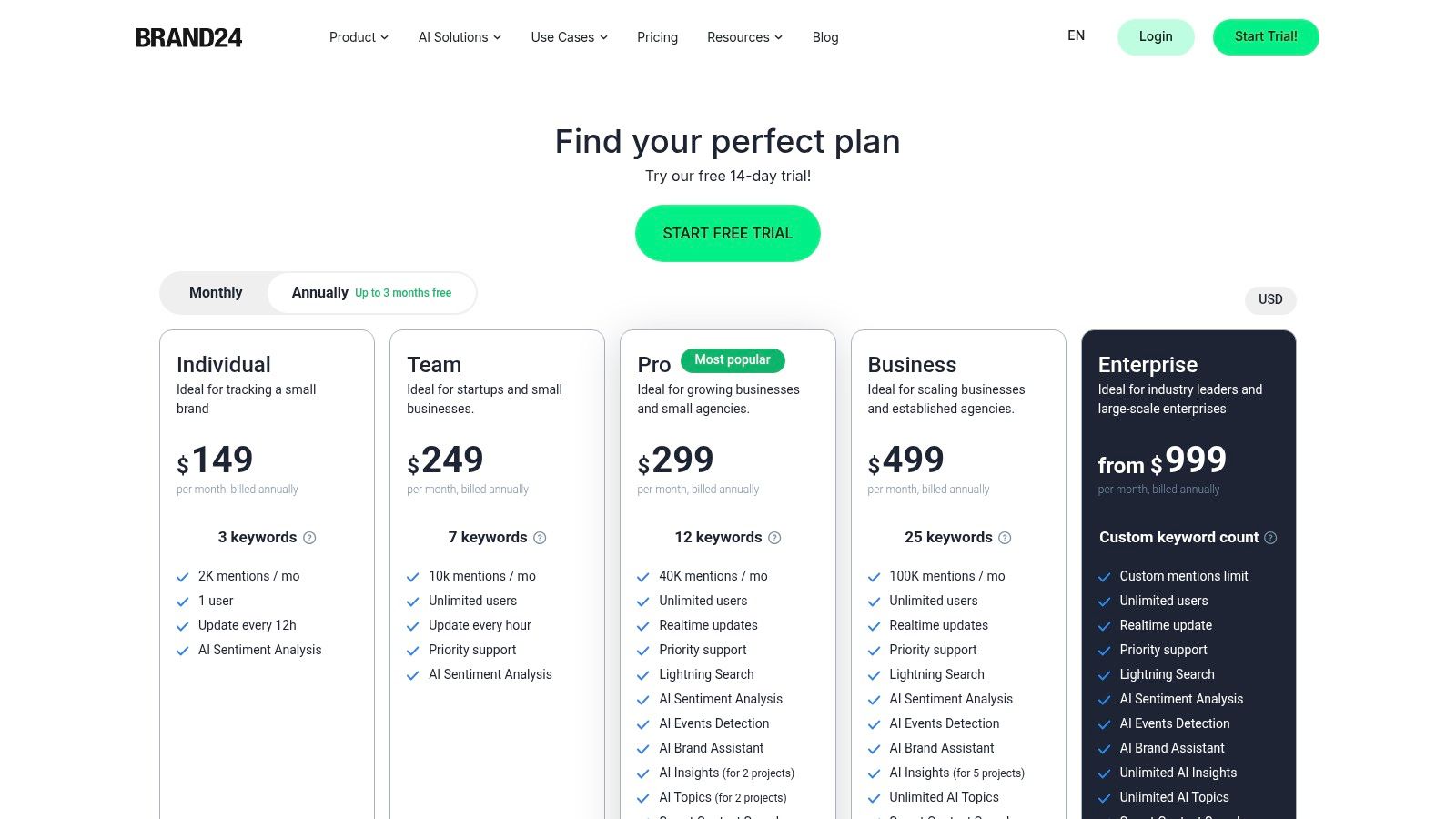
4. Brand24
Brand24 steps up as a powerful google alerts alternative for businesses that need to go beyond simple web mentions and dive into comprehensive social media monitoring. It offers a robust platform for tracking brand mentions, analysing sentiment, and measuring reach across news, blogs, forums, reviews, and a wide array of social media platforms, including X/Twitter, Reddit, TikTok, and YouTube. This makes it an excellent choice for marketing and PR teams aiming for a 360-degree view of their online presence.
The platform is designed to provide actionable insights, not just raw data. Its user-friendly dashboard presents metrics like influencer scores, share of voice, and sentiment analysis in a clear, digestible format, helping you quickly understand the context behind each mention and prioritise your response.
Key Features & Use Cases
Brand24 equips users with advanced tools like Boolean search for creating highly specific queries and AI-powered sentiment analysis to gauge public perception automatically. Alerts can be delivered in real-time or as periodic digests via email, Slack, or Microsoft Teams, ensuring that important conversations are never missed. The platform also generates exportable PDF, PPT, and XLS reports, ideal for sharing insights with stakeholders.
Practical Tip: Use Brand24’s "Influence Score" metric to identify key opinion leaders and potential brand advocates in your industry. Engaging with these influential accounts can significantly amplify your brand's reach and credibility.
- Best For: SMEs, marketing agencies, and enterprise teams needing a powerful, user-friendly tool for social listening, competitor analysis, and reputation management.
- Pricing: Paid plans with a 14-day free trial. Entry-level pricing is higher than basic tools but reflects its broader feature set.
- Unique Feature: The combination of extensive social media coverage (including TikTok and Reddit) with sophisticated sentiment analysis and influence scoring provides a holistic view of brand health.
- Pros: Broad source coverage, strong AI features, and a good balance between usability and advanced functionality.
- Cons: Higher entry price point compared to simpler tools, and API access may require a more expensive plan. You can explore a detailed comparison with other Brand24 alternatives to see how it stacks up.
Website: https://brand24.com/prices/
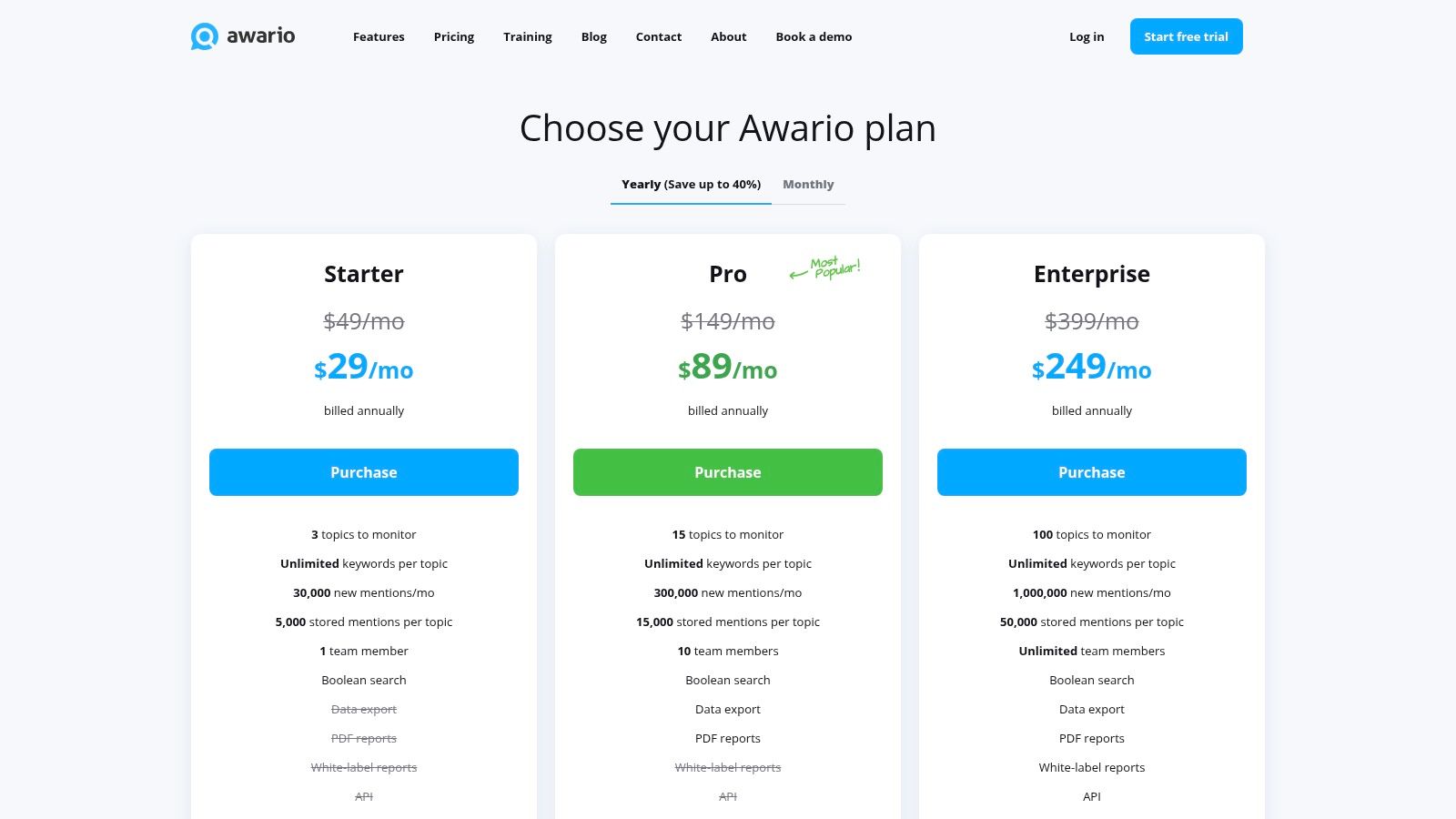
5. Awario
Awario is a powerful, yet cost-effective google alerts alternative designed for small to medium-sized businesses and marketing agencies. It moves beyond basic mention tracking by offering social listening and analytics features, covering major social media networks, news sites, blogs, and forums. It strikes a balance between the simplicity of a free tool and the complexity of an enterprise-level suite, making advanced monitoring accessible.
The platform is built for users who need not just alerts, but also actionable insights. Its clean dashboard allows for easy setup of alerts with Boolean search capabilities, sentiment analysis, and influencer identification. This makes it a great step up for those who have outgrown the basic functionality of Google Alerts and need to organise, analyse, and report on their online presence more effectively.
Key Features & Use Cases
Awario excels by providing generous mention caps and unlimited keywords per topic, even on its entry-level plans. Users can monitor the web and social channels, receive email alerts, and generate periodic reports to track performance. Higher-tier plans add valuable features like team collaboration, CSV exports, white-label reporting, and API access, catering to growing agencies.
Practical Tip: Leverage the Boolean search feature to create highly specific queries. For instance, combine your brand name with negative keywords like -jobs or -careers to filter out recruitment-related chatter and focus solely on customer feedback or PR opportunities.
- Best For: Startups, social media managers, and agencies needing comprehensive monitoring and reporting without the enterprise price tag.
- Pricing: Paid plans start from $49/month, offering a significant volume of monthly mentions.
- Unique Feature: Its competitive pricing model for a high volume of mentions and unlimited keyword tracking per alert makes it highly scalable for growing businesses.
- Pros: Straightforward interface, generous mention limits for the price, and unlimited keywords per topic.
- Cons: Lacks some of the deep enterprise integrations of top-tier platforms and has limits on historical data retention.
Website: https://awario.com/pricing/
6. BuzzSumo (Alerts)
BuzzSumo is widely known as a content discovery and research platform, but its powerful alerting features make it a strong google alerts alternative for marketing and PR professionals. It moves beyond simple mention tracking, allowing users to set up alerts for brand names, keywords, backlinks, competitor content, and even specific journalists. This positions it as a strategic tool for those who need to integrate media monitoring directly into their content creation and outreach workflows.
The platform is designed for teams that require more than just notifications; they need actionable data. BuzzSumo’s alerts feed into its broader suite of tools, including content analysis and journalist databases, allowing you to not only see who mentioned you but also to understand the impact of that coverage and find new outreach opportunities.
Key Features & Use Cases
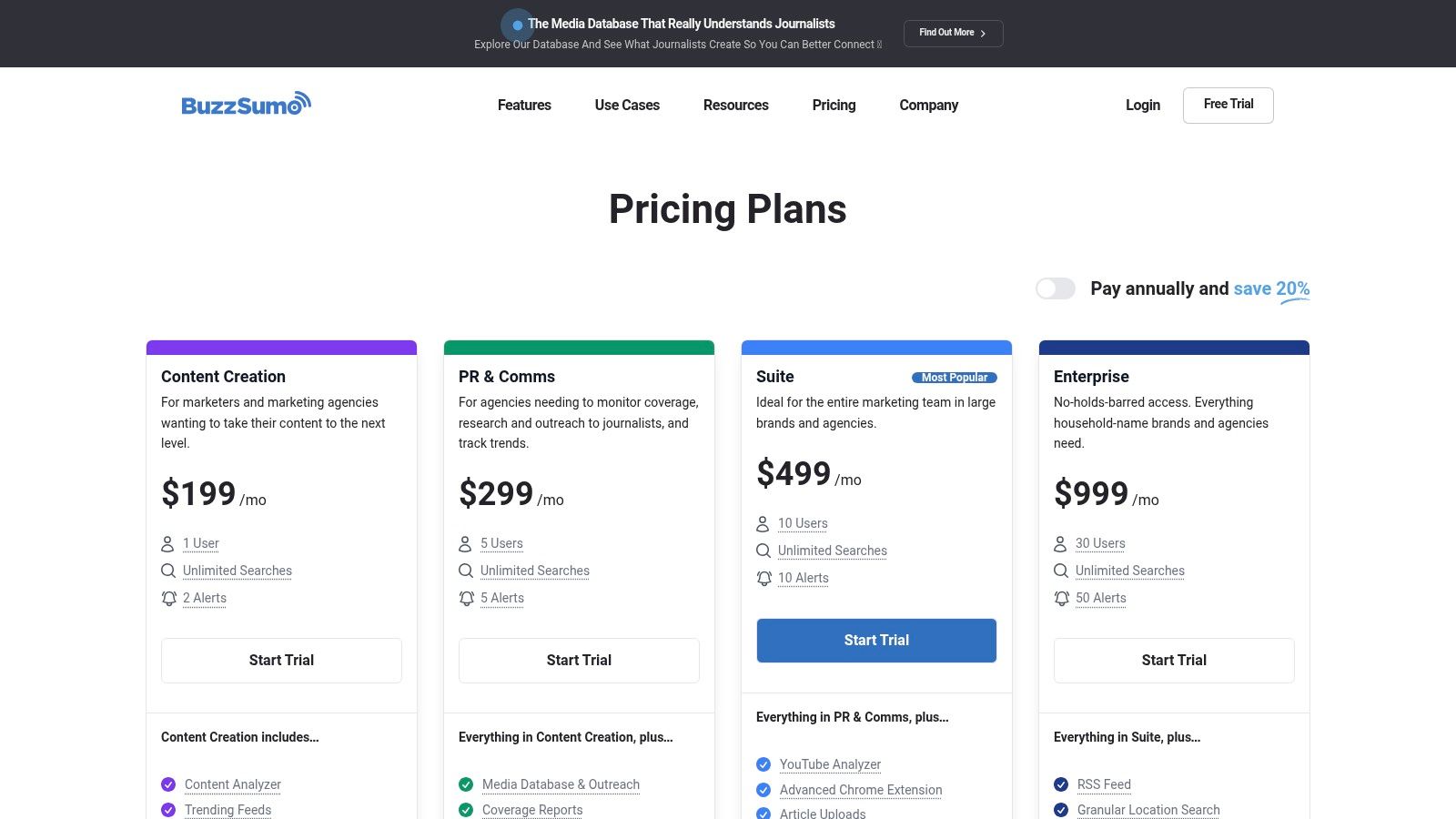
BuzzSumo’s alerting system is built around six specific types: brand mentions, keyword mentions, content from a website, backlinks, author mentions, and competitor mentions. Alerts can be delivered via email or integrated directly into Slack, with options for real-time or daily digests. The real power comes from connecting these alerts to projects and coverage reports within the platform, turning a simple notification into a trackable PR metric.
Practical Tip: Create a "Journalist Alert" for key reporters in your industry. You'll be notified whenever they publish a new article, giving you a timely and relevant reason to engage with them and build a relationship for future PR pitches.
- Best For: Content marketing teams, PR agencies, and digital marketers needing to track media coverage and content performance in one place.
- Pricing: Premium plans start from around £89 per month. The number of alerts is limited based on the chosen tier.
- Unique Feature: The integration of alerts with a comprehensive journalist database and content performance analytics is its key differentiator.
- Pros: Excellent for combining media monitoring with content and PR outreach workflows, simple setup with powerful filtering, and includes influencer discovery tools.
- Cons: Alert counts per plan are limited, and the pricing is in the mid-to-premium range, which may be prohibitive for small teams or solopreneurs.
Website: https://buzzsumo.com/pricing/
7. Meltwater (Media Monitoring Suite)
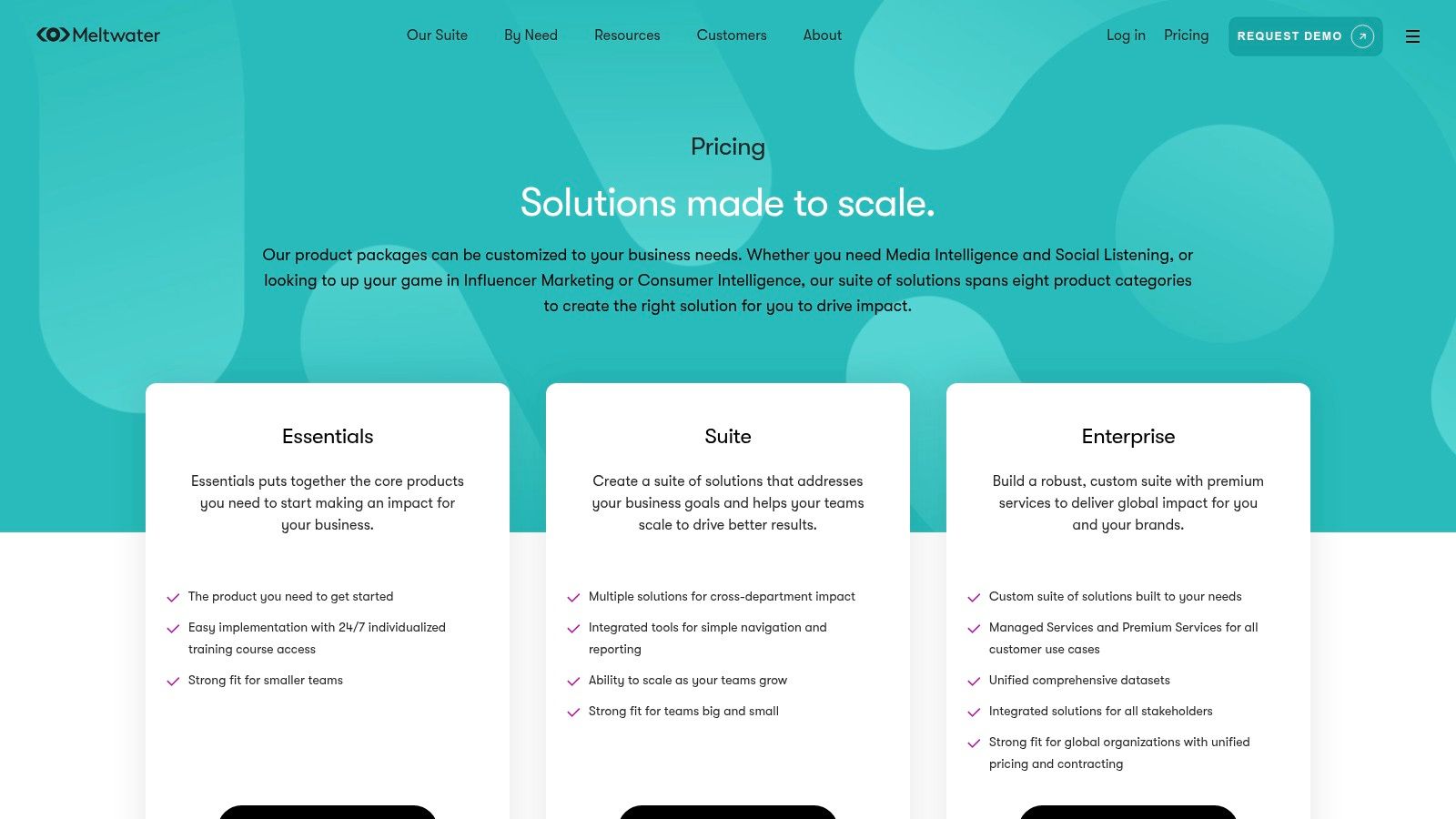
Meltwater is a comprehensive, enterprise-level media intelligence platform that operates on a much grander scale than a simple google alerts alternative. It provides global monitoring across an extensive range of sources, including online news, print media, broadcast television, radio, and even podcasts. This solution is designed for large organisations, PR agencies, and public sector bodies in the UK that require exhaustive, managed media tracking with robust governance and support.
The platform moves far beyond basic alerts, offering sophisticated dashboards, AI-driven insights, and detailed reporting capabilities. It's built for teams that need to not only track mentions but also analyse sentiment, measure share of voice, and report on the impact of their communications strategies across multiple regions and languages.
Key Features & Use Cases
Meltwater’s strength lies in its all-encompassing media coverage and the professional services that accompany it. Users can create highly customised alerts and dashboards for complex monitoring needs, such as tracking legislative changes, managing corporate reputation across all media types, or performing in-depth competitor analysis. The platform is highly configurable to specific organisational workflows.
Practical Tip: Leverage Meltwater's managed services during setup. Their team can help define complex boolean queries and configure dashboards to ensure you are tracking the most relevant information and filtering out noise from the very beginning, saving significant time.
- Best For: Large enterprises, government bodies, and PR agencies needing an all-in-one media intelligence and monitoring solution with extensive support.
- Pricing: Custom/Enterprise pricing. Requires a consultation and is typically a significant investment, often unsuitable for small businesses.
- Unique Feature: Its integration of traditional media like print, broadcast, and podcasts into a single platform provides a holistic view unavailable in most other tools.
- Pros: Extremely broad data coverage, enterprise-grade support and services, and a well-established presence for UK procurement.
- Cons: The custom pricing model can be very expensive, and the platform requires dedicated onboarding and training to realise its full value.
Website: https://www.meltwater.com/en/pricing
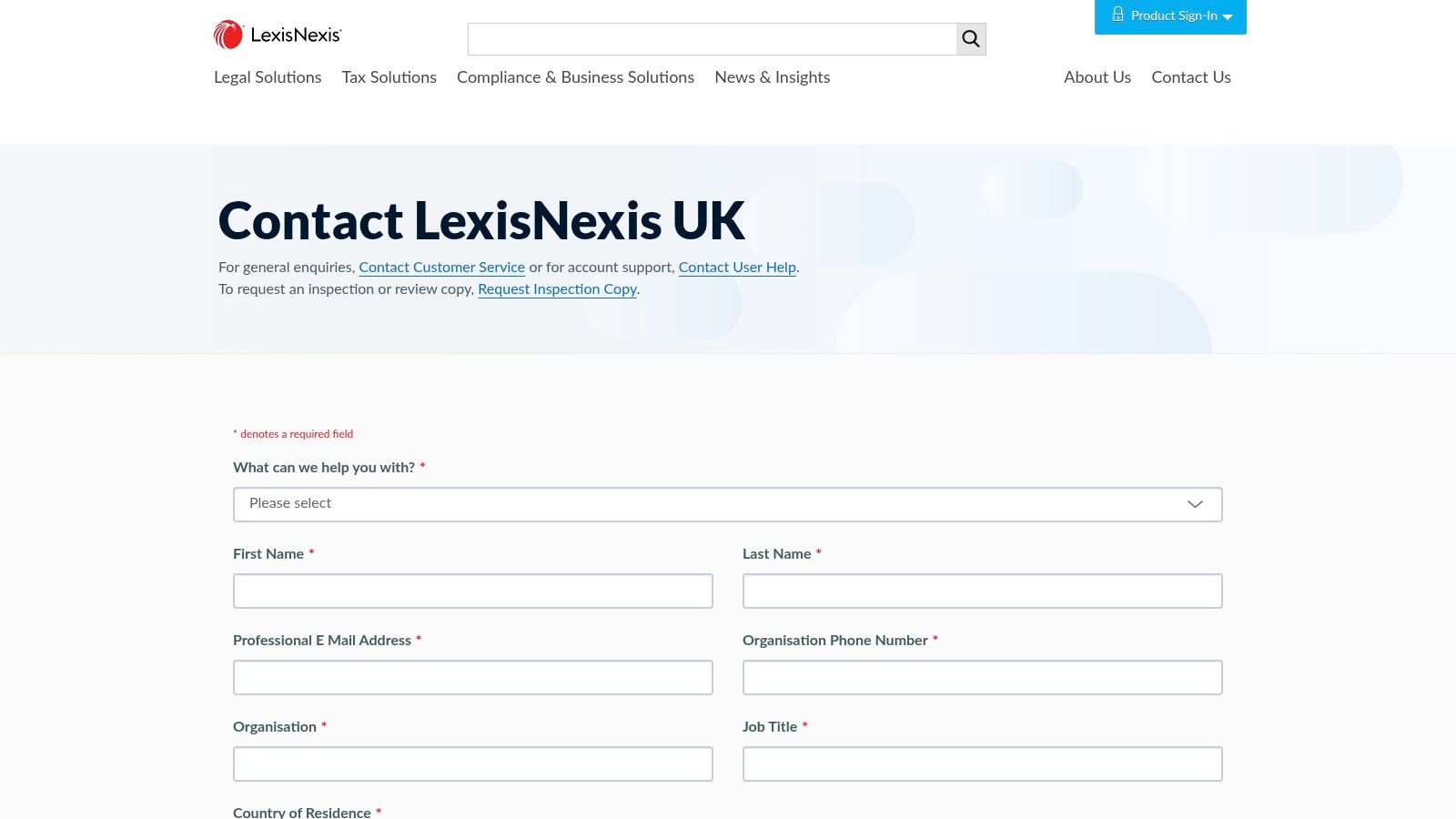
8. LexisNexis Nexis Newsdesk
LexisNexis Nexis Newsdesk is a professional, enterprise-grade google alerts alternative built for organisations that require access to premium, licensed content. This platform goes far beyond the open web, tapping into a vast archive of global news sources, trade publications, and journals that are typically behind paywalls. It is primarily geared towards corporate communications, legal, and public sector teams who need comprehensive, legally-sound media intelligence.
The platform is designed for deep analysis rather than simple monitoring. It moves away from the basic "set-and-forget" model to provide a powerful dashboard with sophisticated analytics, including sentiment tracking and share of voice comparisons. This makes it an indispensable tool for organisations where brand reputation and regulatory compliance are paramount.
Key Features & Use Cases
Nexis Newsdesk provides robust filtering and reporting capabilities, allowing users to create scheduled email alerts or monitor mentions in real-time via a customisable dashboard. The inclusion of enterprise-level administration features, such as single sign-on (SSO), makes it suitable for large, security-conscious teams. Its primary use is for comprehensive media monitoring, competitive intelligence, and crisis management where access to verified, licensed news is critical.
Practical Tip: Leverage the platform’s deep archive for historical analysis. When launching a new campaign, you can research how similar topics or competitors have been covered in licensed media over the years, providing valuable strategic insight.
- Best For: Large enterprises, public sector bodies, and legal firms needing access to paywalled news and advanced analytics.
- Pricing: Custom/Enterprise. Pricing is tailored to organisational needs and may include specific charges for reports or alerts.
- Unique Feature: Its core differentiator is access to an extensive library of licensed, premium news content not indexed by free services.
- Pros: Unparalleled access to paywalled content, enterprise-grade analytics, and robust UK-based support.
- Cons: Complex pricing models and a significant learning curve compared to simpler alert tools.
Website: https://www.lexisnexis.co.uk/contact-us
9. Visualping
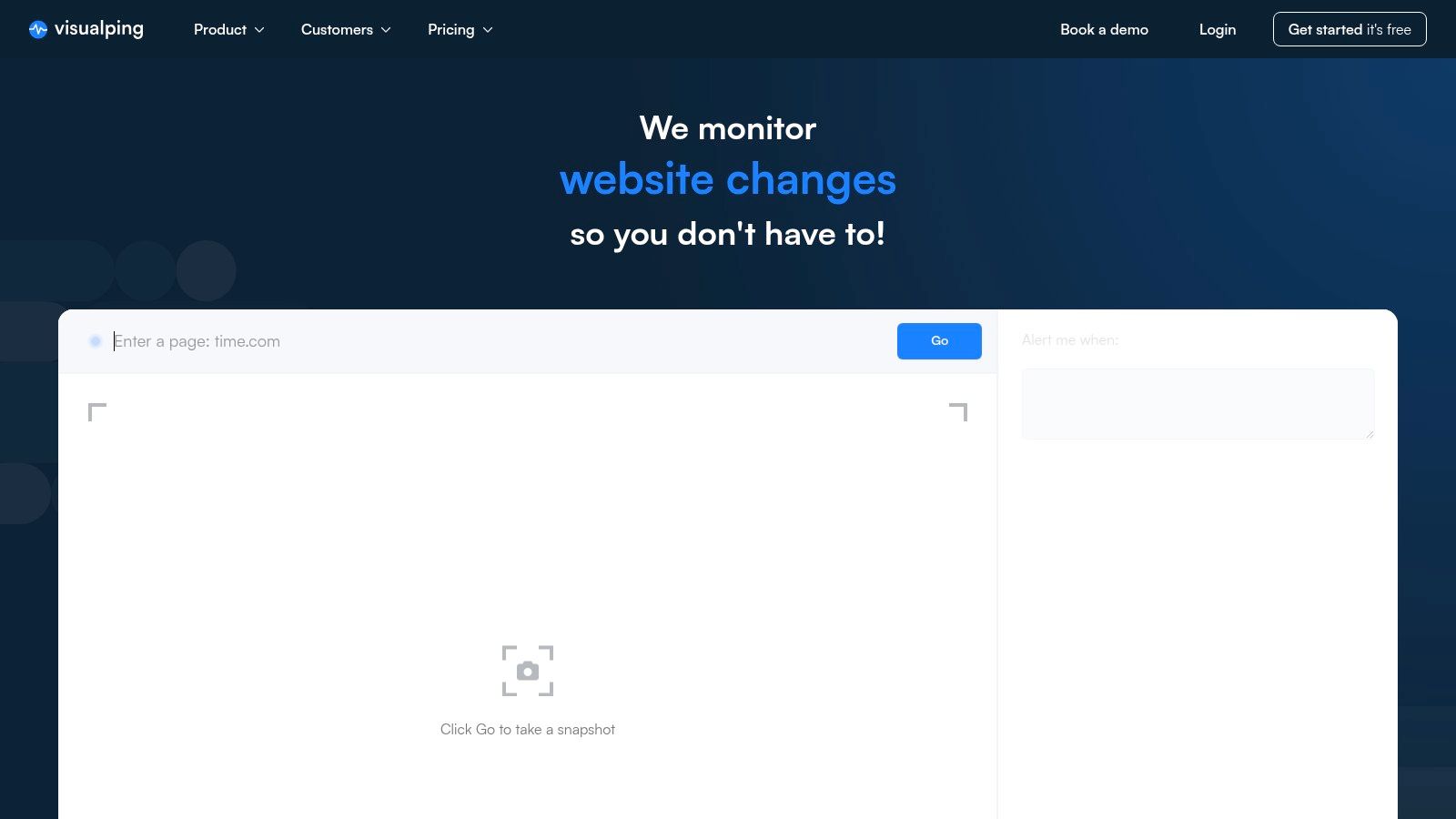
Visualping offers a unique twist as a google alerts alternative by focusing on visual and textual changes to specific web pages rather than keyword mentions across the web. This makes it an incredibly powerful tool for monitoring specific, high-value targets that traditional crawlers might miss, such as competitor pricing pages, product availability, or regulatory updates on a government website. Instead of tracking a broad topic, you point it at a URL and it tells you precisely when something on that page is modified.
The service is designed for users who need hyper-specific, reliable change detection. It works by taking a snapshot of a page and comparing it to a future version, highlighting any visual or text-based differences. This granular approach is ideal for tasks where even a minor edit, like a price drop or a change in terms and conditions, is critical information.
Key Features & Use Cases
Visualping’s core strength lies in its precision. You can set the frequency of checks, from every five minutes to once a week, and choose the type of change to monitor (visual, text, or a specific element). Alerts can be delivered via email, Slack, Microsoft Teams, or webhook, making it easy to integrate into team workflows for competitive intelligence or compliance monitoring. Business plans offer team workspaces and bulk monitoring capabilities.
Practical Tip: Use the element selection tool to monitor just one part of a page, like a "price" field or an "out of stock" notice. This drastically reduces false positives from irrelevant changes like updated ads or a new blog post link.
- Best For: E-commerce businesses tracking competitor prices, legal teams monitoring regulatory changes, and HR professionals watching for new job postings.
- Pricing: Offers a free tier with limited monthly checks. Paid plans start from around £12/month and scale up with frequency and features. Business tiers often require sales contact.
- Unique Feature: Its visual comparison engine, which highlights exactly what changed on a webpage, is a capability standard mention monitoring tools lack.
- Pros: Monitors specific page elements other tools miss, highly customisable check frequency, and useful for compliance and price tracking.
- Cons: Can become expensive with high-frequency checks on multiple pages. Personal plans have more limited integrations than business plans.
Website: https://visualping.io
10. Distill.io
Distill.io takes a different approach, positioning itself as a powerful website change monitoring tool rather than a traditional google alerts alternative. Instead of scanning the web for keywords, it focuses on tracking specific changes to any webpage you designate. This makes it invaluable for monitoring competitor pricing, product availability, career page updates, or any specific element on a site that doesn't generate news or blog mentions.
The platform allows you to select a part of a page visually, or use CSS/XPath selectors for precision, and get notified when it changes. It can even handle complex scenarios like checking pages behind a login or navigating through multi-step forms using macros, tasks that are impossible for standard alert tools.
Key Features & Use Cases
Distill.io shines in its technical flexibility. You can set up local monitors that run in your browser or use cloud servers for checks as frequent as every few seconds. Alerts can be delivered via email, SMS, push notifications, or webhooks, making it easy to integrate with tools like Slack or Discord. Its version history lets you see exactly what was added or removed from a page, highlighted in green and red.
Practical Tip: Use the "Conditions" feature to set up alerts only when specific criteria are met, like a price dropping below a certain threshold or text containing a particular keyword. This dramatically reduces false positives and ensures you only get actionable notifications.
- Best For: Competitor intelligence teams, developers, and marketers needing to track specific on-page element changes rather than broad keyword mentions.
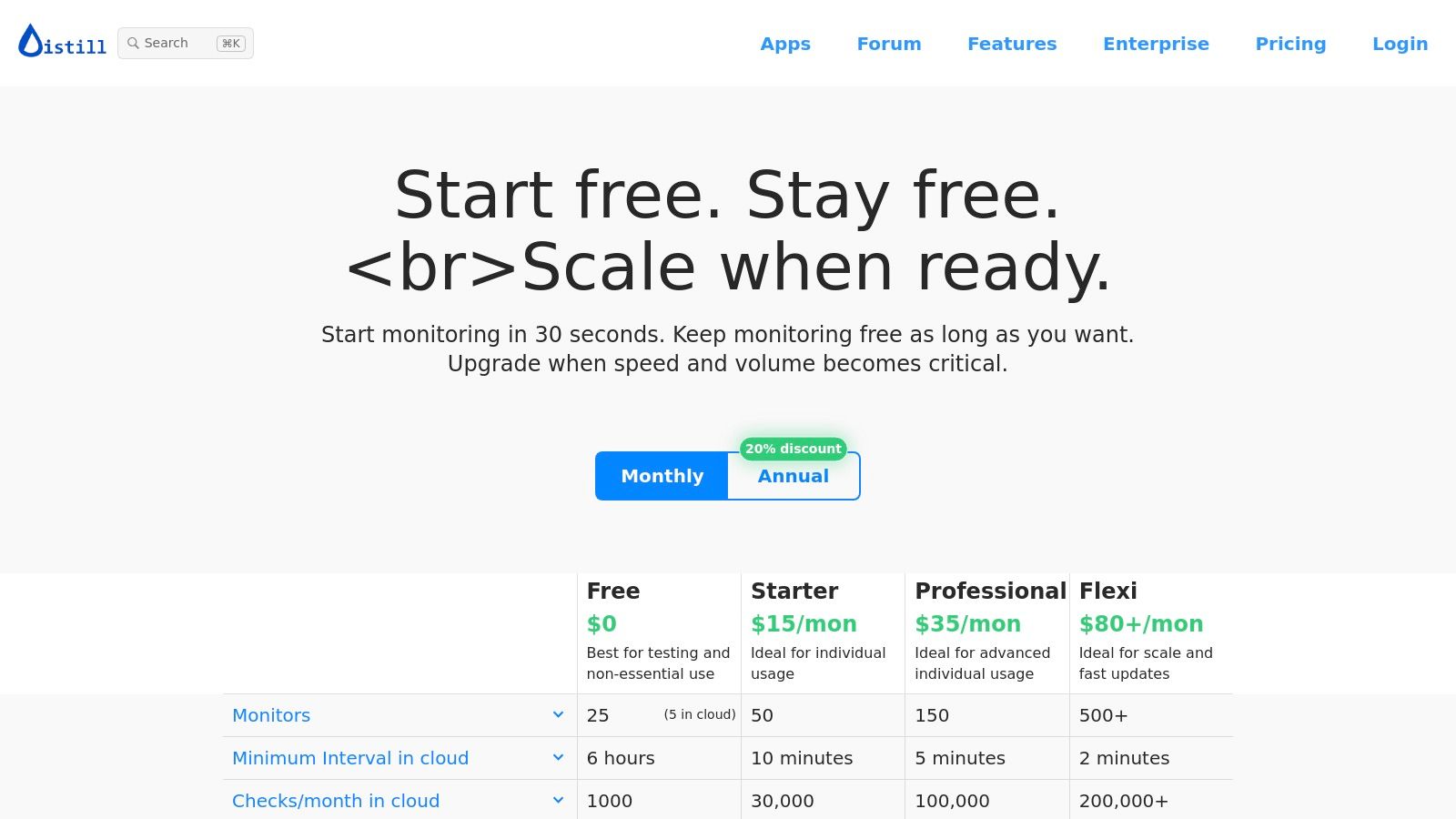
- Pricing: A free plan is available for local monitoring. Paid plans start from $12/month for cloud-based monitoring with more frequent checks and features.
- Unique Feature: Its ability to visually select page sections and use macros to monitor content behind logins is a significant differentiator.
- Pros: Highly customisable monitoring, handles dynamic and login-protected content, and offers versatile alert delivery options including webhooks.
- Cons: The setup can be technical for complex workflows, and key features like macros require higher-tier subscriptions.
Website: https://distill.io/pricing/
11. Inoreader
Inoreader is a powerful news aggregator and content reader that evolves the classic RSS feed concept into a sophisticated google alerts alternative. Rather than just receiving email digests, Inoreader allows you to create curated, real-time monitoring feeds for specific keywords, topics, or brands. It excels at tracking websites that don't even have a traditional RSS feed, making it a versatile tool for comprehensive web monitoring.
This platform is designed for users who want to centralise their information intake and exert precise control over the content they see. Its strength lies in its ability to transform noisy, high-volume topics into clean, organised, and actionable streams of information through powerful filtering and rule-based automation. It's less of a passive alert system and more of an active intelligence dashboard.
Key Features & Use Cases
Inoreader’s "Monitoring feeds" (formerly known as active searches) and "Web feeds" are its core differentiators. You can create a feed to track keyword mentions across the web or point it at a specific webpage to get notified of any changes. Once set up, you can apply rules to automatically tag, filter, or de-duplicate articles, ensuring your feed remains relevant and noise-free. It also supports social media feed monitoring.
Practical Tip: Use the "Rules" feature to automatically filter out mentions from specific domains or articles containing certain words. For example, you can create a rule to hide all mentions of your brand that also include the word "job" to remove recruitment spam from your monitoring feed.
- Best For: Power users, researchers, and marketing teams who want to build a highly customised and organised monitoring dashboard.
- Pricing: Offers a free tier with limitations. Paid plans start from around £8 per month, unlocking advanced features like rules and web feeds.
- Unique Feature: The combination of keyword monitoring with advanced, user-defined rules and filters for de-duplicating and organising alerts is unparalleled in its price range.
- Pros: Very cost-effective for heavy news and web tracking, offers fine-grained control to improve alert quality and reduce noise.
- Cons: Has a steeper learning curve than simple alert tools; its focus is on feed management rather than dedicated email alerting for PR.
Website: https://www.inoreader.com/pricing
12. NewsNow
NewsNow operates primarily as a news aggregator, but its customisation features make it a surprisingly effective, free google alerts alternative, especially for those with a UK-centric focus. It allows you to create alerts for specific keywords, companies, or sectors, pulling in mentions from a vast array of national and local UK publications that are often missed by more globally focused tools. This makes it ideal for businesses tracking regional press coverage or monitoring local competitor activity.
The platform is designed around personalising your news feed. You can follow topics, filter by publication, and set up email digests, creating a tailored monitoring system without any cost. While it lacks the sophisticated analytics of paid tools, its strength lies in its comprehensive coverage of UK-based online news sources, offering a simple way to keep a finger on the pulse of relevant media mentions.

Key Features & Use Cases
NewsNow's value comes from its powerful topic-following and filtering capabilities. You can create a personalised "My NewsNow" page that acts as a dashboard for all your tracked keywords, with options to receive email updates at your preferred frequency. This setup is perfect for tracking brand mentions, industry news, or specific political developments within the UK.
Practical Tip: Use the publication filter to your advantage. If you're a local business, create an alert for your brand name but limit the sources to regional newspapers and blogs in your area. This provides highly relevant, localised media intelligence that other free tools might overlook.
- Best For: UK-based businesses, PR professionals, and researchers needing deep coverage of British news outlets, including local and trade publications.
- Pricing: Completely free. It is supported by on-site advertising.
- Unique Feature: Its extensive index of UK-based news sources is its main differentiator, offering a level of regional granularity that is hard to find in other free alert services.
- Pros: Excellent coverage of UK local and national media, quick setup, and highly customisable email alerts.
- Cons: Strictly focused on news and web content, with no social media monitoring. It also lacks any form of sentiment analysis or advanced reporting features.
Website: https://www.newsnow.co.uk
Top 12 Google Alerts Alternatives Comparison
| Tool | Core features | Quality ★ | Price / Value 💰 | Target 👥 | Unique ✨ |
|---|---|---|---|---|---|
| 🏆 ForumScout | AI natural‑language filters, hourly monitoring (social, forums, news), sentiment & Plutchik emotion, audience & competitive insights | ★★★★★ | 💰 $19 → $129/mo; 7‑day free trial | 👥 Startups, SMBs, marketing, CS teams, agencies | ✨ Plain‑English AI filters, automated match scoring & smart notifications |
| Talkwalker Alerts | Web + Twitter/X alerts, email/RSS/Slack, frequency & source filters | ★★★☆☆ | 💰 Free | 👥 Individuals, small PR users | ✨ Fast set‑up, "only best results" option |
| Mention | Real‑time web & social tracking, Boolean search, sentiment, dashboards, API | ★★★★☆ | 💰 Mid → Enterprise pricing | 👥 Brands, global PR teams, enterprises | ✨ Historical data, white‑label reporting |
| Brand24 | Real‑time mentions (news, social, forums), sentiment, influence metrics, exportable reports | ★★★★☆ | 💰 Mid (14‑day trial) | 👥 SMEs → enterprise PR/branding teams | ✨ Influence/reach metrics and exportable reports |
| Awario | Web & social monitoring, Boolean search, CSV export, team features, unlimited keywords per topic | ★★★★☆ | 💰 Competitive for higher mention volumes | 👥 Startups, social managers, agencies | ✨ Unlimited keywords per topic; cost‑effective volumes |
| BuzzSumo (Alerts) | Alerts for brand/keyword/content/backlink/competitor/journalist, projects, coverage reports | ★★★★☆ | 💰 Mid‑to‑premium | 👥 Content, PR & outreach teams | ✨ Journalist & influencer discovery, content analytics |
| Meltwater (Media Suite) | Cross‑media monitoring (online, print, broadcast, podcasts), AI insights, dashboards, managed services | ★★★★★ | 💰 Custom (enterprise) | 👥 Large brands, public sector, enterprise | ✨ Broad cross‑media coverage & managed implementations |
| LexisNexis Nexis Newsdesk | Licensed publisher feeds, scheduled/as‑it‑happens alerts, enterprise analytics & SSO | ★★★★★ | 💰 Custom (premium/enterprise) | 👥 Comms, legal, public sector needing licensed content | ✨ Access to premium/licensed news sources |
| Visualping | Visual & text page‑change detection, high‑frequency checks, bulk monitoring, API | ★★★★☆ | 💰 Freemium → business tiers | 👥 Competitive intel, pricing teams, compliance | ✨ Visual diffs for pages others miss |
| Distill.io | Visual selectors, CSS/XPath, macros for login/click workflows, cloud/local monitors, alerts | ★★★★☆ | 💰 Affordable scaling; clear quotas | 👥 Power users, devs, monitoring behind‑login pages | ✨ Macro/scripted multi‑step checks |
| Inoreader | RSS & web feed monitoring, rules/filters, de‑duplication, AI summaries (Intelligence) | ★★★★☆ | 💰 Cost‑effective for heavy news tracking | 👥 Researchers, news teams, power readers | ✨ Fine‑grained rules & AI summaries |
| NewsNow | UK‑focused news aggregation, topic following, personalised pages & email updates | ★★★☆☆ | 💰 Free / freemium | 👥 UK‑centric journalists, sector analysts | ✨ Strong UK local outlet coverage |
Final Thoughts
The digital landscape is a vast, ever-changing ocean of information. While Google Alerts has long been the go-to life raft for navigating these waters, its limitations in speed, source coverage, and analytical depth mean it can often leave you adrift. As we have explored, the world of monitoring tools has evolved far beyond this basic service, offering a fleet of sophisticated platforms designed for specific voyages. Finding the right Google Alerts alternative is not about finding a one-to-one replacement; it’s about identifying the precise functionality your organisation needs to turn ambient noise into strategic intelligence.
Our journey through twelve distinct alternatives has revealed a clear spectrum of capabilities. On one end, you have free and freemium tools like Talkwalker Alerts and Inoreader, which offer a more robust and immediate alerting experience than Google, making them excellent starting points for individuals and small teams dipping their toes into media monitoring. On the opposite end, enterprise-grade behemoths like Meltwater and LexisNexis Newsdesk provide unparalleled depth, historical data access, and analytical power, but come with a price tag and complexity to match, positioning them as the flagships for large corporations with dedicated PR and intelligence departments.
Key Takeaways and Choosing Your Path
The most critical realisation is that your choice of tool must be driven by your primary objective. Don’t get distracted by a platform that boasts a thousand features if you only need one of them to work exceptionally well.
To help you make a final decision, consider these core use cases:
- For PR and Brand Reputation: Your priority is comprehensive coverage across news, blogs, and social media, coupled with sentiment analysis. Tools like Brand24 and Mention are purpose-built for this, offering powerful dashboards to track brand health in real-time.
- For Lead Generation and Community Engagement: You need to find conversations as they happen in niche communities where potential customers are active. This is where a specialised tool like ForumScout shines, cutting through the noise to deliver high-intent discussions from forums and Reddit that broader tools often miss.
- For Competitive Intelligence: You require a blend of content analysis and mention tracking. BuzzSumo excels at identifying top-performing content and key influencers, while Awario provides a strong, affordable option for tracking competitor mentions and sentiment.
- For Specific Web Page Monitoring: If your focus is less on keywords and more on changes to specific websites (like a competitor’s pricing page or a partner’s career portal), then Visualping and Distill.io are your dedicated, fit-for-purpose solutions.
A Strategic Framework for Implementation
Once you’ve shortlisted your preferred Google Alerts alternative, resist the urge to simply replicate your old keywords. Instead, use this transition as an opportunity to refine your monitoring strategy. Start by defining your goals: are you looking for sales leads, customer feedback, PR opportunities, or competitor activity?
Organise your keywords into distinct projects or campaigns within your new tool. For example, create separate alerts for your brand name, key executives, product names, competitor brands, and industry-specific terms. Leverage advanced features like Boolean operators (AND, OR, NOT) to filter out irrelevant noise from the outset. Most importantly, dedicate time to learning your new platform’s unique features, such as its reporting capabilities or integration options, to ensure you are maximising your investment from day one. The right tool, implemented thoughtfully, will transform your monitoring efforts from a passive, reactive task into a proactive engine for growth.
Ready to find high-intent customers discussing problems your business can solve? While many tools focus on broad social media, ForumScout is laser-focused on finding keyword mentions in niche online communities and forums where genuine purchase decisions are made. Start your free trial of ForumScout today and discover the untapped conversations that lead to growth.