
- 18 min read

How to Calculate Engagement Rate in 2026
Calculating engagement rate is pretty straightforward: just divide the total number of interactions (likes, comments, shares, you name it) by your total followers or reach, then multiply by 100.
It's a simple formula, but it gives you an honest snapshot of how well your content actually connects with your audience, cutting through the noise of misleading follower counts. This is your starting point for measuring what truly works.
Why Engagement Rate Is Your Most Honest Metric
In a world saturated with social media, follower numbers are often just a vanity metric. A huge following looks impressive on the surface, but it tells you absolutely nothing about the quality of that audience or the real impact of your content.
This is where engagement rate steps in as your most reliable performance indicator. It measures active participation, not just passive scrolling.
Revealing Your True Audience Connection
Engagement rate cuts through the fluff to show you who is genuinely listening. A high rate on a post with a small reach is far more valuable than a low rate on a post seen by thousands. It’s proof you’ve built a real community that cares about what you have to say.
Think of it this way: would you rather speak to a stadium of 10,000 people who are ignoring you, or a room of 100 people hanging on your every word? The engagement rate tells you exactly which scenario your brand is in.
Before diving into the specific formulas, it’s vital to understand what makes an interaction meaningful in the first place. For a deeper look at moving beyond superficial numbers, check out this guide on how to measure community engagement that matters.
An engaged audience is one that trusts your brand, shares your content, and ultimately, becomes a loyal customer. Monitoring this metric is the first step toward building that loyalty and is fundamental to improving customer engagement across all your channels.
A Crucial Benchmark for UK Businesses
Getting a handle on how to calculate engagement rate is particularly vital for UK businesses trying to make sense of different platform performances. Average engagement rates can differ significantly by industry and platform.
For instance, the average Instagram engagement rate across UK industries is around 3.5%, while Facebook limps behind at just 1.3%.
These figures shift even more by sector. Government organisations, for example, hit 3.5% on Instagram, while retail manages 3.0%. These benchmarks give you the context needed to set realistic goals and measure your success accurately.
Before we get into the nitty-gritty of the formulas, here's a quick reference table to keep the main calculations straight.
Key Engagement Rate Formulas at a Glance
This table breaks down the most common formulas you'll encounter. Each serves a slightly different purpose, so knowing which one to use—and when—is key to getting accurate insights.
| Formula Type | Calculation Method | Best Used For |
|---|---|---|
| Rate by Followers | (Total Engagements / Total Followers) * 100 | Measuring engagement from your existing follower base; good for overall community health. |
| Rate by Reach | (Total Engagements / Total Reach) * 100 | Assessing how engaging a post is to everyone who saw it, including non-followers. |
| Rate by Impressions | (Total Engagements / Total Impressions) * 100 | Understanding how often a post sparked an interaction each time it was displayed. |
| Daily Rate | (Total Engagements in a Day / Total Followers) * 100 | Tracking the daily pulse of your community and how consistently they engage. |
Think of these as different lenses to view your performance. One tells you about your core community, while another tells you about your content's viral potential. We'll explore each one in more detail next.
The Three Core Formulas for Measuring Engagement
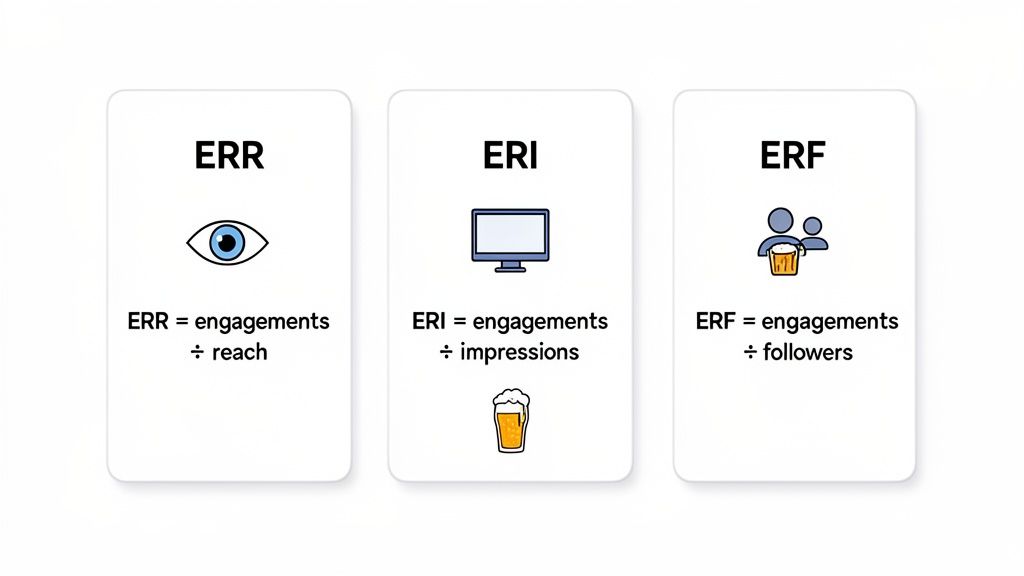
Before you can calculate your engagement rate, you have to decide what you’re actually measuring against. Are you trying to gauge your content's viral potential or the loyalty of your core community? Your follower count, reach, and impressions each tell a very different story.
Let's break down the three fundamental formulas you'll be using most of the time. Choosing the right one really just depends on your goal.
Engagement Rate by Followers (ERF)
This is probably the most common formula out there, and for good reason. It’s a straightforward, consistent way to take a health check on your account over time, measuring how many of your existing followers are interacting with your posts.
It’s a simple calculation:
- (Total Engagements / Total Followers) x 100 = ERF %
Let's say a UK craft brewery with 5,000 followers posts a picture of its new seasonal ale. That post gets 200 total engagements (likes, comments, etc.). The calculation is just (200 / 5,000) x 100, which gives you an ERF of 4%.
Because your follower count is a relatively stable number, this formula is excellent for tracking long-term community health and loyalty.
Engagement Rate by Reach (ERR)
This is arguably the most accurate formula for judging the quality of a single piece of content. It tells you what percentage of the people who actually saw your post decided to engage with it. This includes followers and, crucially, non-followers who discovered you via explore pages or shares.
Here’s how you work it out:
- (Total Engagements / Total Reach) x 100 = ERR %
Back to our brewery. Let's imagine that same post reached 2,500 people. With the same 200 engagements, the ERR would be (200 / 2,500) x 100, which works out to 8%. That higher percentage tells a powerful story: the content was incredibly effective at turning viewers into participants.
The key difference is context. ERF tells you about your established audience, while ERR reveals your content's effectiveness and potential to attract new followers. Reach can fluctuate wildly, so ERR is best for post-by-post analysis rather than long-term trends.
Engagement Rate by Impressions (ERI)
Finally, we have Engagement Rate by Impressions (ERI). This is the most granular formula of the three and is most often used when analysing paid ad campaigns where you pay per impression (CPM). It measures how engaging your content was each time it was displayed on a screen.
The formula is:
- (Total Engagements / Total Impressions) x 100 = ERI %
If our brewery's post was shown 3,000 times (impressions) and got those same 200 engagements, the ERI would be (200 / 3,000) x 100, resulting in 6.7%. This rate will almost always be lower than your ERR because a single person can see the same post multiple times, generating several impressions.
This metric is vital when your goal is to understand content frequency and ad fatigue.
Once you’ve got a handle on these basic principles, you might find an Instagram engagement rate calculator handy for getting quick, accurate numbers for that specific platform.
Calculating Engagement Across Different Platforms
Knowing the basic formulas is one thing, but making them work in the real world is a totally different ball game. To get a real feel for your performance, you have to get specific.
Not all interactions carry the same weight. A meaningful comment on a LinkedIn post is miles away from a simple 'like' on Instagram. If you just lump them all together, you’re going to get a skewed picture of your content's true impact.
The trick is to define what actions really matter for your goals on each channel and then build your formula around those. This platform-aware approach is the only way to get an accurate view of your entire strategy.
What “Engagement” Actually Means on Each Platform
Every social network has its own set of interactions that signal genuine audience interest. Instead of treating everything as equal, it’s much more insightful to weigh certain actions more heavily or even ignore the ones that don’t align with your objectives.
Here’s a practical breakdown for platforms popular with UK audiences:
- X (formerly Twitter): Forget simple likes. Focus on replies and retweets. These actions show a much deeper level of engagement and prove your content is getting amplified. A reply means you've started a real conversation, and that's gold.
- LinkedIn: The most valuable interactions here are comments and shares. While reactions are a decent starting point, a thoughtful comment on a professional post or a share to someone’s network shows serious resonance and trust.
- Instagram: Likes are common, but saves and shares are the real MVPs. They’re a powerful indicator that your content is genuinely useful or inspiring enough for someone to keep it for later. You could even create a weighted formula that gives these actions more importance.
- Reddit: Engagement here is a completely different beast. Your focus should be on upvotes and, most importantly, comments. An upvote is a vote of confidence, but the comment section is where community discussion and brand perception are truly forged.
Don’t Forget to Adjust for User Behaviour
You can’t just compare engagement rates between platforms without thinking about how people use each one. A 5% engagement rate on a LinkedIn article is not the same as a 5% rate on a TikTok video. The environments are just too different.
This is especially true when you factor in how much time users invest. For example, TikTok users in the UK spend an average of 49 hours and 29 minutes a month on the app. That's more than double the time spent on YouTube and triple the time on Facebook.
For businesses using a tool like ForumScout to track brand mentions, this context is critical. A lower engagement rate on TikTok might not mean your content is failing; it could just be a side effect of its fast-paced, high-volume algorithm. You can dig into more of these numbers in Metricool's UK social media usage statistics.
By understanding these nuances, you move from simply calculating engagement to interpreting what it truly means. This contextual awareness is the difference between collecting data and gaining actionable insights that can genuinely improve your strategy.
Ultimately, your goal is to build a more sophisticated, context-aware picture of your performance. Stop asking, "What is my engagement rate?" Instead, start asking, "What does this engagement rate tell me about my audience's behaviour on this specific platform?"
That shift in perspective is what unlocks a much deeper understanding of your social media impact.
Moving Beyond the Numbers to Define a Good Rate
Once you've got the hang of calculating your engagement rate, the next question is always, "So... what's a good one?" It’s tempting to hunt for a universal magic number, but the truth is a lot more nuanced. A "good" engagement rate isn't some static figure you can just aim for; it’s a moving target defined by your industry, your audience, and your specific goals.
The real value isn’t in hitting an arbitrary percentage. It’s in establishing your own baseline and focusing on consistent, steady improvement. Honestly, a rate of 1.5% that’s climbing month-on-month is a much healthier sign than a rate that spikes to 3% one week and crashes the next. That upward trend is what really matters.
Setting Your Internal Benchmark
Before you even think about looking at what competitors are doing, look in the mirror. Your most important competitor is who you were last month.
Dive into your own historical data. Pull the engagement rates for all your posts from the last three to six months and calculate the average. That number? That's your starting line. From there, you can set realistic targets. Aiming for a 10% increase over the next quarter is a tangible goal that actually forces you to figure out what’s working and what isn't. This is the key to sustainable growth because it's tailored to your audience's behaviour.
A rising engagement rate, even if it's below some external benchmark, is a powerful sign. It proves you're learning, adapting, and building a stronger connection with your community over time. That upward trend is what truly defines success.
Context Is Everything
A bunch of different factors can dramatically swing what's considered a strong engagement rate. Just because a UK fashion brand is pulling a 4% average doesn't mean your B2B software company should expect the same. Without context, the numbers are useless.
Think about these variables:
- Industry Norms: A highly visual and passion-driven sector like travel or dining is naturally going to see higher engagement than a more niche B2B industry like manufacturing or legal services.
- Audience Size: It's a classic paradox. Accounts with smaller, more dedicated followings often have much higher engagement rates. As your audience grows, your overall rate will almost certainly dip a bit. That's normal. The key is to make sure it doesn't fall off a cliff.
- Content Format: It's no secret that a well-produced video will often outperform a static image. An interactive poll can generate a flurry of clicks that a simple link post won't. You need to analyse performance by format to see what your audience actually wants to interact with.
Instead of getting fixated on a single number, a much better approach is to understand how engagement fits in with your other key metrics. You can learn more about how it all connects in our guide on how to measure reach.
Ultimately, a "good" engagement rate is one that actually helps you hit your business objectives. If your goal is to drive website traffic, then a lower rate on a post with a ridiculously high click-through rate is a massive win. Always, always tie your engagement analysis back to the "why" behind your social media presence in the first place.
How to Automate Your Engagement Rate Reporting
Let's be honest, manually calculating engagement rates every week is a soul-crushing task. It's not just tedious; it's a perfect recipe for mistakes and wasted hours you could be spending on actual strategy. As your brand grows, juggling data from multiple platforms and plugging it all into a spreadsheet becomes completely unsustainable.
The good news? You don't have to be a developer to build a slick, automated reporting system. Modern tools are designed to do the heavy lifting, turning a manual chore into a source of real-time intelligence.
Let Tools Do the Data Collection for You
First things first, stop chasing down metrics by hand. This is exactly where social listening platforms come in. Instead of hopping between different social networks to tally up every like, comment, and share, these tools pull all that data into one place for you automatically.
They can grab every mention of your brand from sources like Reddit, X, and countless online forums—places where critical conversations are happening but are nearly impossible to track manually. This continuous data feed is the foundation of any decent automated reporting workflow. You can get a better sense of how this works by exploring the capabilities of a social listening API.
Automating your data collection doesn't just save time; it gives you a complete picture of your engagement. It pulls in data from across the web, giving you a far more accurate dataset to work with than manual spot-checks ever could.
This comprehensive approach is especially important in the UK, where social media advertising spend has shot up to £9.02 billion. Brands using AI-optimised bidding and automated content strategies see a 14% boost in engagement, proving a clear link between automation and better results. With the average ROI on UK social platforms sitting at £5.28 for every £1 spent, automating your tracking is no longer a luxury—it’s a business necessity. You can dive deeper into these figures by checking out these detailed UK social media stats.
Build an Automated Reporting Dashboard
Once your data is flowing in, the next move is to channel it into a centralised dashboard. This is where you can see all your key metrics at a glance, spot trends over time, and even keep an eye on competitors without lifting a finger.
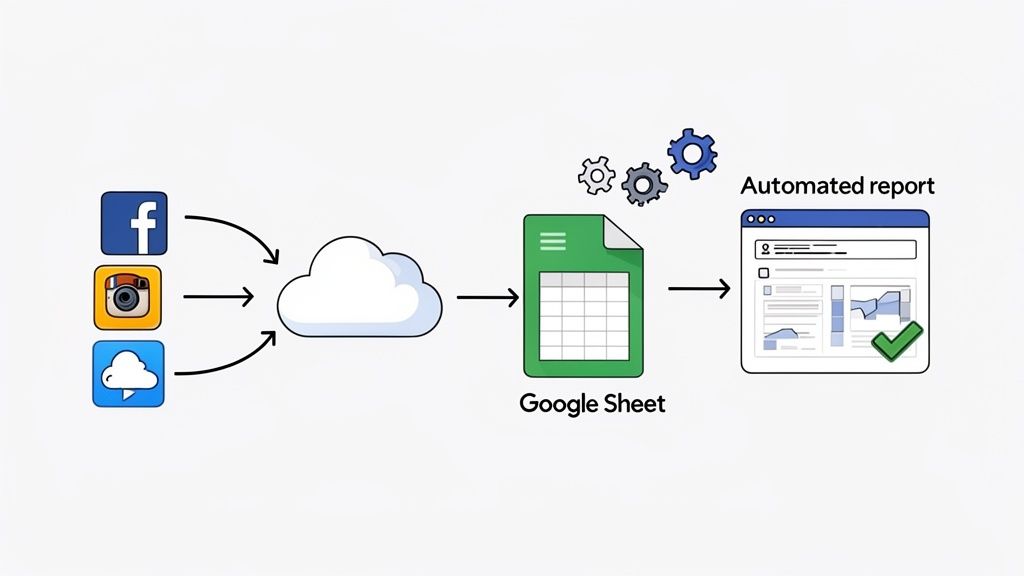
A really practical way to do this is by connecting your data sources to a Google Sheet using an integration tool like Zapier or Make.
Imagine a marketing manager setting this up. Here’s how it would look:
- Set Up a Trigger: They create a "zap" that fires every time their social listening tool (like ForumScout) finds a new mention of their brand or a key competitor.
- Define the Action: The zap is told to automatically add that mention as a new row in a specific Google Sheet.
- Populate the Data: Each row gets filled with useful info like the post's text, the platform it's from, the engagement counts (likes, comments, etc.), and the date it was posted.
With this simple workflow, they’ve created a live, self-updating database of all relevant social conversations. From there, they can use the built-in charts and pivot tables in Google Sheets to visualise their engagement rate, track their share of voice against rivals, and identify trends—all without a single minute of manual data entry.
This simple shift moves you from just calculating engagement to actively using it to make smarter decisions.
Comparison of Engagement Rate Tracking Methods
Deciding whether to stick with spreadsheets or move to an automated tool can be tough. The table below breaks down the key differences to help you figure out what's right for your team.
| Feature | Manual Tracking (Spreadsheets) | Automated Tracking (e.g., Social Listening Tools) |
|---|---|---|
| Data Collection | Time-consuming and prone to human error. Requires visiting each platform. | Automatic and continuous. Pulls data from multiple sources in real-time. |
| Accuracy | Lower. High risk of typos, missed data, and incorrect formulas. | High. Consistent, reliable data with minimal risk of human error. |
| Scope of Data | Limited to what you can find and copy manually. Misses many conversations. | Comprehensive. Captures mentions from social media, forums, blogs, and news. |
| Real-Time Insights | Delayed. Data is only as fresh as your last manual update. | Instant. See trends and respond to conversations as they happen. |
| Scalability | Poor. Becomes unmanageable as your brand or number of channels grows. | Excellent. Easily handles increasing data volume and new platforms. |
| Cost | Low initial cost (software is often free), but high time cost. | Monthly/annual subscription fee, but saves significant time and resources. |
| Best For | Very small businesses or individuals with minimal social media activity. | Businesses of any size looking for accurate, scalable, and actionable insights. |
While manual tracking might seem cheaper upfront, the time saved and the accuracy gained from automation almost always deliver a better return. As your brand grows, making the switch becomes less of a choice and more of a necessity for staying competitive.
Answering Your Top Engagement Rate Questions
Once you start calculating your engagement rate, you’ll quickly run into a few common questions. It happens to everyone. Getting these details right is crucial, because you need numbers that are not just accurate, but actually useful for making smart decisions. Let's clear up some of the most frequent sticking points.
First off, people often ask why their engagement rate swings so wildly from one day to the next. That's completely normal. Your rate is a living metric, sensitive to everything from the time you post and the type of content you share to what’s trending that day. Even a subtle algorithm change can throw things off.
The trick is not to get hung up on a single day’s performance. Instead, zoom out. Look at your weekly or monthly averages to see the bigger picture. This helps you spot real trends instead of just reacting to the daily noise.
Should I Count My Own Likes or Comments?
This one’s a classic, and the answer is a hard no. You should always exclude your own team’s interactions when you’re crunching the numbers.
It’s tempting, I know, but including them just inflates your metrics and hides what your audience actually thinks. You're trying to measure genuine interest from your community, not create an echo chamber. Keeping your data clean by leaving out internal engagement gives you an honest baseline to work from.
Realise that every like, comment, or share you track should come from a genuine customer or follower. True engagement data is about listening to your audience, and it's the only way to get insights you can actually act on.
What if My Follower Count Changes a Lot?
Rapid changes in your follower count can definitely throw a spanner in the works, especially if you’re relying on the standard Engagement Rate by Followers formula.
Imagine a post goes viral and you gain a thousand new followers overnight. Your engagement rate will probably dip for a bit. Why? Because those new followers haven't had a chance to see your other content and start engaging yet.
When your follower count is all over the place, it's a good idea to switch to Engagement Rate by Reach (ERR). Since ERR measures engagement against the people who actually saw your post, it gives you a much cleaner look at how good your content is, regardless of your fluctuating follower numbers. It helps you see what's truly resonating when your audience size is in flux.
Tired of crunching these numbers by hand? ForumScout automatically tracks your mentions and engagement across social media, Reddit, and forums, so you can stop wrestling with spreadsheets and start focusing on strategy. Start your free 7-day trial and see what your audience is really saying.