
- 25 min read

How To Monitor Social Media for Leads & Brand Mentions
So, what does it actually mean to monitor social media? It’s about more than just keeping an eye on your notifications. It’s the process of actively listening to conversations, mentions, and trends happening online that are relevant to your brand, competitors, and industry.
Using the right tools, you can tap into what people are really saying—not just in posts where you’re tagged, but in the millions of untagged conversations happening every single day. This is how you uncover the full picture.
Why Social Media Monitoring Is Your Secret Weapon

Ignoring online chatter is like leaving your shop's front door wide open but refusing to greet anyone who walks in. It just doesn't make sense. Social media monitoring flips your strategy from being reactive to proactive, turning defence into a powerful engine for growth.
Think of it as the difference between hearing about a customer complaint after it’s gone viral and quietly solving it before it ever escalates.
Imagine a potential customer tweets, "Can anyone recommend a good project management tool for a small agency?" Without monitoring, that opportunity just vanishes into the digital ether. But with it, your sales team can jump right in with a helpful reply, turning a casual question into a warm lead.
Uncover What You’re Missing
Manually tracking these conversations is completely impossible. The scale is just too big.
In early 2025, the United Kingdom had 54.8 million active social media users—a staggering 79% of the entire population. This isn’t just noise; it’s a massive, ongoing focus group. For businesses like ours at ForumScout, monitoring this chatter is non-negotiable for staying competitive, especially when people spend so much time on platforms like Facebook, Instagram, and TikTok. You can explore more about the UK's social media usage to see just why these conversations are so critical.
And this isn't a game reserved for big corporations with huge budgets. Small businesses and startups can gain a massive competitive edge simply by listening.
Before we dive into the specific focus areas, it's helpful to see a high-level overview of what you can achieve. The table below breaks down the key objectives and provides a tangible example for each.
Key Focus Areas for Social Media Monitoring
| Focus Area | Objective | Example Action |
|---|---|---|
| Brand Reputation | Protect brand image and manage crises proactively. | Instantly respond to a negative review on Reddit before it gains traction. |
| Lead Generation | Identify and engage potential customers showing buying intent. | Find a user asking for "alternatives to Competitor X" and offer a solution. |
| Product Feedback | Gather unfiltered customer opinions to improve offerings. | Collect feedback from a forum thread discussing your latest feature update. |
| Competitive Intelligence | Analyse competitor strengths and weaknesses. | Track complaints about a rival's poor customer service to highlight your own. |
This table illustrates how a structured monitoring approach can directly support core business functions, from marketing and sales to product development.
Here’s a closer look at what you stand to gain:
- Protect Your Brand Reputation: Instantly spot negative feedback or a brewing crisis. This gives you the chance to manage the situation before it causes real damage.
- Discover Sales Opportunities: Find people actively looking for solutions you provide. They often describe their pain points without ever tagging your brand, creating a perfect opening for you to step in.
- Gather Honest Product Feedback: Customers are far more candid online than in a survey. Monitoring uncovers raw, unfiltered opinions about your products that you simply can't get anywhere else.
- Gain Competitive Intelligence: See what customers love (and hate) about your competitors. We've seen clients use this insight to refine their own offerings and poach unhappy customers. It’s invaluable.
By not monitoring, you are essentially letting your customers' most valuable feedback and your competitors' biggest weaknesses go completely unnoticed. It’s a treasure trove of business intelligence just waiting to be tapped.
Ultimately, effective social media monitoring gives you a direct line to your market's pulse. It provides the real-world insights you need to make smarter, faster decisions that actually move the needle.
Defining Your Goals and Key Metrics
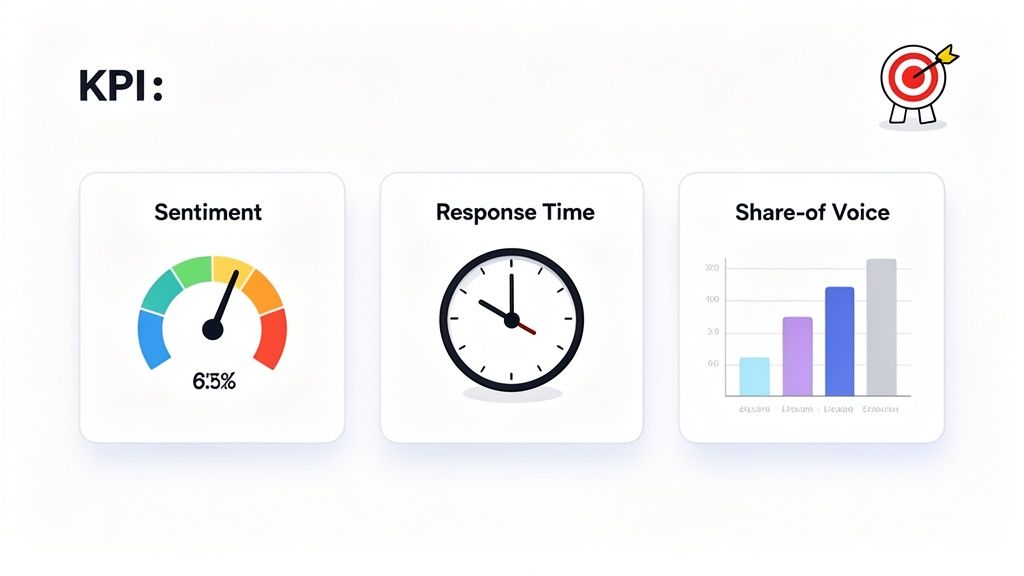
Before you start tracking anything, you need a map. Diving into social media monitoring without clear goals is like setting sail without a destination—you’ll just drift, burning time and resources without ever knowing if you’re getting anywhere.
The first, and most critical, step is to define what success actually looks like for your business.
This means getting past the superficial “vanity metrics” like follower counts and likes. They might feel good, but they rarely translate to actual business outcomes. Your goals need to be tied to tangible results. To get this right, you first need a solid grasp of what is social media analytics and how it all fits together.
Start with a simple question: "What business problem are we trying to solve?" The answer will guide your entire strategy.
Connecting Goals to Business Outcomes
Every monitoring effort should link back to a broader business objective. Are you trying to improve customer satisfaction, generate more qualified leads, or protect your brand's reputation? Each goal requires a different approach and a unique set of Key Performance Indicators (KPIs) to measure success.
Let's break down some common goals and the KPIs that go with them.
-
Improve Customer Experience: The main objective here is making customers feel heard and valued. Your KPIs should focus on speed and effectiveness.
- Average Response Time: How quickly are you replying to mentions? A shorter time means happier customers.
- Resolution Rate: What percentage of questions or complaints are actually solved through social channels?
-
Enhance Brand Reputation: This is all about shaping public perception. You need to track how people feel about your brand over time.
- Sentiment Score: This measures the ratio of positive, negative, and neutral mentions. Your goal is to see that positive percentage climb.
- Share of Voice (SOV): This KPI benchmarks your brand’s visibility against competitors. It answers the question, "Of all the conversations happening in our industry, what percentage is about us?" For a deeper look, check out our guide on how to measure brand awareness.
-
Generate New Leads: The focus here is on spotting and engaging potential customers who are showing clear buying signals.
- Leads Identified: The raw number of potential sales opportunities you've uncovered through listening.
- Conversion Rate from Social: Of the leads you engage with, how many actually become customers?
Setting the right KPIs is the difference between simply collecting data and gathering actionable intelligence. Your metrics should tell a story and guide your next move.
Choosing the Right Platforms to Monitor
Once your goals are set, you need to decide where to listen. It’s a classic mistake to try and be everywhere at once. A much smarter strategy is to focus your efforts where the most valuable conversations are actually happening. This means thinking beyond the usual suspects like Facebook and X (formerly Twitter).
The online world is huge. While UK adults are expected to spend 1 hour and 37 minutes on social media daily in 2025, they're spread across an average of 6.4 different platforms each month. This is why getting hourly updates from a mix of sources—from Instagram and Bluesky to Hacker News and niche forums—is so crucial. AI-powered filtering then becomes your best friend, cutting through the noise so you only see what matters.
To find your key channels, ask yourself these questions:
- Where do our customers ask for help? Check your past support tickets. Do people mention finding answers on specific forums or Reddit communities? Go there.
- Where do industry experts share insights? Your target audience might be glued to LinkedIn, specific blogs, or private communities.
- Where are competitors getting praised or criticised? Monitoring competitor mentions on review sites or forums can reveal channels you’ve been completely overlooking.
By defining clear goals, picking meaningful KPIs, and focusing on the right platforms, you build a solid foundation. This strategic approach ensures every piece of data you collect has a purpose, moving you closer to your business objectives.
Building Queries That Actually Work
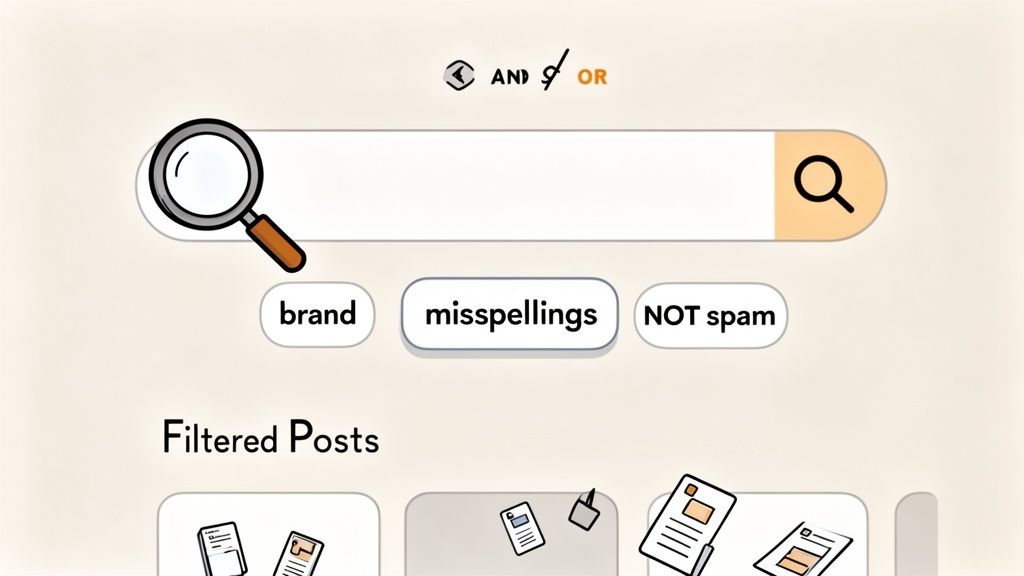
Here’s the thing about social media monitoring: the quality of your insights comes down to the quality of your search queries. It’s that simple. A vague query will drown you in noise, but a sharp, well-built one acts like a scalpel, cutting straight to the conversations that actually matter.
Think of it like fishing. A simple keyword search is like casting a massive, clumsy net. Sure, you’ll catch something, but you’ll also drag up a ton of seaweed, old boots, and other junk. Smart queries are about weaving a net with the perfect-sized holes to catch exactly what you’re after, letting all the rubbish float by.
This is where you need to get comfortable with the basics of Boolean search logic.
Mastering the Basics of Boolean Search
Boolean operators are just simple commands—AND, OR, NOT—that let you combine or exclude keywords to get super-specific results. They are the absolute foundation of any decent monitoring setup. Nail this, and you’ll go from basic keyword tracking to a seriously sophisticated intelligence-gathering operation.
-
OR Broadens Your Search: Use OR when you need to catch a set of related terms. It’s perfect for brand name variations, common misspellings, or different product names.
- Example:
ForumScout OR "Forum Scout"will find mentions of either version. Simple.
- Example:
-
AND Narrows Your Search: Use AND to find mentions that contain all your keywords. This is your go-to for finding conversations with a specific context.
- Example:
"project management tool" AND "recommendation"zeros in on people explicitly asking for suggestions for tools just like yours.
- Example:
-
NOT Excludes Noise: Use NOT to filter out mentions containing words you want to ignore. This is a lifesaver for cutting down on irrelevant results.
- Example:
ForumScout NOT "job opening"immediately removes any posts about careers, so you can focus purely on customer chat.
- Example:
The real magic happens when you start combining these. A query like
(ForumScout OR "Forum Scout") AND (feedback OR review) NOT "job opening"is incredibly powerful. It targets only product feedback and reviews while completely ignoring any recruitment noise.
Essential Boolean Operators for Precise Monitoring
To make this even clearer, here’s a quick reference table. Keep this handy when you're building your first few queries—it’ll save you a ton of time.
| Operator | Function | Example Query |
|---|---|---|
| OR | Broadens results to include any of the specified terms. | "social listening" OR "brand monitoring" |
| AND | Narrows results to only those containing all specified terms. | "customer service" AND "complaint" |
| NOT | Excludes results containing a specific term. | Apple NOT "fruit" |
| " " | Searches for an exact phrase. | "customer support software" |
| ( ) | Groups terms together to create more complex queries. | (Nike OR Adidas) AND (shoes OR trainers) |
Using these operators correctly is the difference between a cluttered dashboard and a clean, actionable feed of insights.
From Simple Keywords to Smart Queries
Once you’ve got the operators down, you can start building queries for your actual business goals. The trick is to think like your audience. What words would they use when talking about a problem you solve? Is there any industry slang or common acronyms you should include?
Let's walk through a couple of real-world scenarios.
Scenario 1: Tracking Your Brand Accurately Your brand name might seem straightforward, but you’d be surprised how many ways people find to misspell it. You need to account for all of them.
- Basic Query:
YourBrand - Smarter Query:
YourBrand OR YourBrnad OR "Your Brand" - Expert Query:
(YourBrand OR YourBrnad OR "Your Brand") NOT "unrelated context"— This query bundles the common variations and actively excludes a known term that often muddies your results.
Scenario 2: Finding Leads with Purchase Intent To find leads, you have to listen for buying signals—phrases people use when they're actively looking for solutions. We have a whole guide on setting up Reddit keyword alerts for this, which is a great place to start.
- Basic Query:
CompetitorName - Smarter Query:
"alternative to CompetitorName" OR "CompetitorName alternative" - Expert Query:
("alternative to CompetitorName" OR "CompetitorName vs" OR "cheaper than CompetitorName") AND (recommendation OR suggestion)— Now you’re targeting users who are actively comparing solutions and asking for advice. These are hot leads.
Letting AI Do the Heavy Lifting
While manual queries are essential, modern tools bring AI into the mix to add another layer of intelligence. This tech goes beyond just matching keywords to understand the actual context, intent, and sentiment of a conversation.
AI can score mentions for relevance, saving your team from having to manually sift through hundreds of posts. You can set up filters in plain English, like "only show me posts where someone is unhappy with a competitor," and the AI figures it out. This frees up your team to focus their energy on high-value conversations that actually need a human touch. It’s the perfect blend of human strategy and machine efficiency.
Turning Raw Data into Actionable Insights
Collecting mentions with a smart query is the easy part. The real work starts when you have to turn that firehose of raw data into something your business can actually use. This is the moment you stop counting mentions and start figuring out what all those conversations actually mean for your brand.
It's about finding the stories hidden in the data. A solid monitoring strategy isn't about hoarding mentions; it's about turning them into a clear plan that helps you grow, fix your product, and build a stronger brand.
Beyond Basic Sentiment Analysis
Most monitoring tools will happily slap a "positive," "negative," or "neutral" label on a mention. That's a decent start, but it barely scratches the surface. Real insight comes from digging into the nuanced emotions behind the words. A slightly grumpy comment from a user who's a bit annoyed is a world away from a furious post from a customer about to churn.
This is where you need to go a bit deeper. By looking at specific emotions—like joy, anger, sadness, or surprise—you get a much clearer picture of what your customers are actually experiencing.
- Annoyance vs. Anger: Is someone just frustrated with a minor bug, or are they absolutely furious about a critical failure? The first might just need a quick support reply, while the second demands immediate, all-hands-on-deck escalation.
- Satisfaction vs. Joy: Is a customer just happy your product works, or are they so delighted they're turning into a genuine brand advocate? Pinpointing these superfans is the key to amplifying positive word-of-mouth.
The goal here is to move from a black-and-white "good/bad" perspective to a full-colour spectrum of customer feelings. This deeper understanding helps you prioritise responses and put your resources where they'll have the most impact.
For a more detailed look, you can learn more about how sentiment analysis for social media works and the different models used to make sense of this complex data.
Tracking Your Share of Voice
One of the most powerful metrics you can get from social listening is your Share of Voice (SOV). In simple terms, this tells you what percentage of the conversation in your industry is about your brand versus your competitors. It's a direct measure of your brand's clout and visibility in the market.
Think of your industry as a massive, noisy room full of people talking about different solutions. Your SOV is how often your name gets mentioned in those chats.
Keeping an eye on this over time gives you a fantastic benchmark for your marketing efforts. For example, if you launch a big campaign, you should see your SOV tick upwards. If it doesn't budge, that's a sign your message isn't cutting through. On the flip side, if a competitor’s SOV suddenly skyrockets, it's a signal to dive in and figure out what they’re doing right.
Spotting Trends and Keeping Things Organised
As you keep monitoring, patterns will start to pop up. A sudden spike in mentions about a specific feature could mean you have a bug on your hands. Or, it could highlight a feature your customers absolutely adore. The key is having a system to spot and organise these trends before you get buried in data.
A simple, practical way to do this is by using tags or labels inside your monitoring tool. Create categories that actually line up with your business goals:
- Product Feedback: Tag any mention with specific suggestions or complaints about your product.
- Sales Lead: Tag conversations where someone is clearly thinking about making a purchase.
- Competitor Insight: Tag posts that reveal a competitor's weakness or a customer's frustration with them.
Organising mentions like this turns your monitoring dashboard from a chaotic mess into a proper intelligence hub. Instead of a random feed, you get structured data you can easily analyse and pass on to the right teams—be it product, sales, or marketing.
This structured approach is vital, especially in a market as engaged as the UK. By January 2025, Facebook alone had hit 55.9 million UK users, a huge jump from 2020. This massive, active audience means hourly tracking across platforms like Facebook, LinkedIn, and forums is no longer a luxury—it's essential for getting low-cost insights. Tools like ForumScout are built for this scale, with plans that can handle up to 100,000 mentions a month, making it possible to keep a constant pulse on these critical conversations. You can find more details on this growth in the Digital 2025 UK report.
Presenting Insights That Actually Drive Action
Finally, all the data you've carefully collected and organised needs to be presented in a way that actually convinces people to do something. Nobody gets inspired by a spreadsheet full of raw numbers. You need to tell a story.
When you're reporting your findings, always focus on the "so what?" factor. Don't just show a chart of rising negative sentiment; explain why it's happening and propose a clear, actionable fix.
- The Problem: "We saw a 30% increase in negative mentions about our checkout process this month."
- The Insight: "Digging in, we see users are constantly complaining that there's no guest checkout option."
- The Recommendation: "We propose the product team prioritises adding a guest checkout feature in the next sprint. It should reduce friction and improve our conversion rate."
When you frame your insights this way, you stop being a data collector and become a strategic advisor. You’re not just reporting on what happened last week; you're handing your team a clear roadmap for the future, backed by real-world evidence from the most important source there is: your customers.
Putting Your Insights into Action
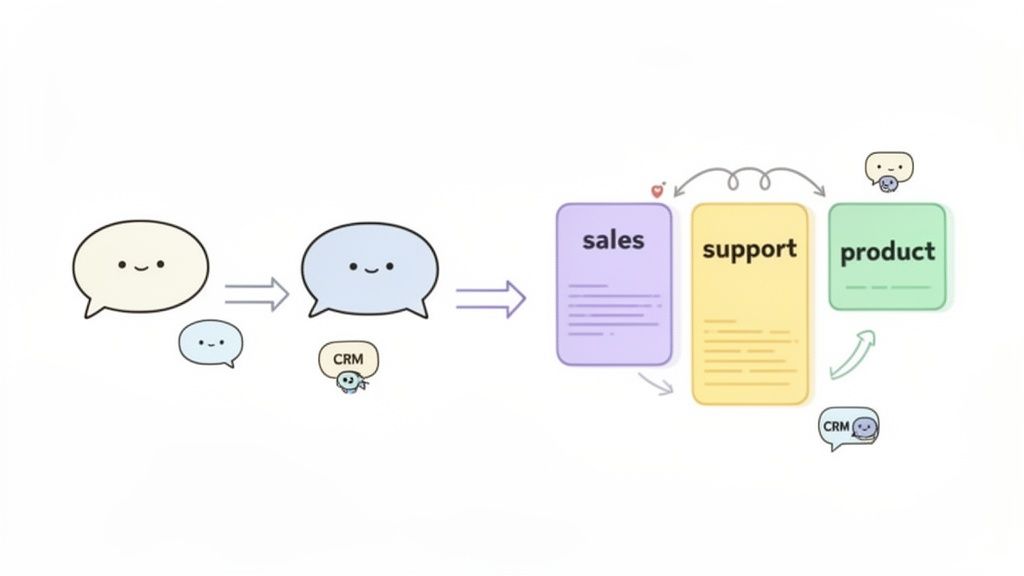
Fantastic insights are worthless if they just gather dust in a dashboard. To get real value from social media monitoring, you have to put your findings to work. It’s about building a system that gets the right information to the right person at the right time, turning passive data into decisive action.
You’re essentially creating a responsive loop. A customer mentions a bug, and the product team is alerted. A prospect asks for recommendations, and the sales team gets a notification. This is the point where a monitoring strategy stops being a report and starts generating real, measurable results for the business.
Creating Intelligent Alerts and Notifications
The first step is to ditch the one-size-fits-all notification system. Generic feeds are just noise. You need intelligent alerts tailored to specific triggers and routed to the correct teams. An alert about a hot lead is an opportunity; a feed of every single mention is a distraction.
Think about the different conversations you’re tracking and who in your organisation needs to see them.
- For the Sales Team: Create alerts for mentions with keywords like “recommendation,” “alternative to,” or “how do I.” These are strong buying signals. An instant Slack notification can get your sales reps into the conversation before a competitor even knows it’s happening.
- For the Support Team: Set up alerts for words like “broken,” “error,” “can’t log in,” or “frustrated.” These should be routed directly into your support queue or helpdesk software to be handled with priority.
- For the Product Team: Monitor for phrases like “I wish it could,” “feature request,” or specific technical feedback. This stuff is gold for your product roadmap, and getting it to your developers closes that crucial feedback loop.
An alert system shouldn't just tell you that someone is talking; it should tell you who needs to listen and why. This level of specificity transforms monitoring from a passive activity into an active, cross-departmental function.
Building Automated Workflows That Scale
As the volume of mentions grows, manually sorting and assigning every single one becomes impossible. This is where automated workflows come in. Using rules and AI, you can automatically categorise mentions and assign tasks without anyone lifting a finger.
For example, you could set up a workflow that says: "If a mention has a negative sentiment score AND contains the word 'billing', automatically create a high-priority ticket in our customer support system and assign it to the finance support specialist."
This kind of automation ensures nothing slips through the cracks. It keeps your response strategy consistent and frees up your team to focus on the high-value conversations that really need a human touch.
Integrating with Your Existing Tech Stack
The real magic happens when your monitoring tool talks directly to the other software your business relies on. Integrating with your CRM, communication tools, and project management apps creates a seamless flow of information across the entire organisation.
- CRM Integration (e.g., HubSpot, Salesforce): You can automatically create new leads in your CRM when a mention matches your lead-gen criteria. Better yet, enrich existing contact records with their social media activity, giving your sales team valuable context for their next call.
- Team Communication (e.g., Slack, Microsoft Teams): Pipe urgent alerts or positive feedback directly into relevant channels. This keeps everyone in the loop and allows for quick, collaborative responses.
- Automation Platforms (e.g., Zapier, Make): These tools act as a bridge, connecting your monitoring platform to thousands of other apps. You could build a "Zap" that adds positive testimonials to a Google Sheet or creates a Trello card for every piece of product feedback.
By connecting these systems, you embed social insights directly into your daily operations. A tweet is no longer just a tweet—it's a potential sales opportunity in your CRM, a support ticket in your helpdesk, and a feature idea on your product board. That's how you put your data to work.
Put Your Monitoring to Work with These Real-World Playbooks
Right, enough with the theory. The real value of social media monitoring comes from putting it into action. Let’s get practical with three battle-tested playbooks you can set up today. These are the exact frameworks we use to turn online chatter into measurable results.
Each playbook gives you a clear goal, some sample queries to get started, and the concrete steps to take. If you're looking for the right software to bring these strategies to life, exploring the best free social media management tools is a great starting point, as many offer the core features you'll need without any upfront cost.
The Lead Generation Playbook
The goal here is simple: find people who are actively looking for what you sell. I’m not talking about cold leads. These are prospects with a declared need, which makes them absolute gold. Your job is to spot their questions and jump in with a genuinely helpful answer.
- Who you’re looking for: Users talking about buying a solution like yours or complaining about a competitor’s product.
- A query to try:
("alternative to [Competitor Name]" OR "recommendation for [Your Industry] software") AND (help OR suggestion OR advice) - Your action plan:
- Set this query up to run in real time. Have the alerts piped directly into your sales team's Slack channel so they can act fast.
- When a match pops up, respond quickly with a helpful, non-salesy comment. Your first priority is solving their problem, not pitching.
- Keep track of which queries bring in the most qualified leads. Use that data to tweak and refine your search over time.
A quick tip from experience: don't just barge in with a link to your product. A soft touch works wonders. Something like, "Hey, a lot of people in your shoes find X feature really helps with that problem," is way more effective than a hard sell.
The Reputation Management Playbook
Think of this playbook as your digital smoke alarm. It’s all about catching negative feedback before it turns into a fire and amplifying the positive mentions that build trust and social proof. When a mention comes through, your most important tools are speed and empathy.
- What you're targeting: Every untagged mention of your brand—the good, the bad, and the ugly.
- A query to try:
([Your Brand] OR [Common Misspelling]) NOT "job opening"(This helps filter out recruitment noise). - Your action plan:
- For negative comments, your goal is to respond publicly within an hour. Acknowledge the issue, show you care, and then take the conversation to a private channel like DMs or email to sort it out.
- When you get positive feedback, thank the user publicly! It shows you’re listening. Even better, ask if you can share their comment as a testimonial.
- Use tags to categorise the feedback you get (e.g., "bug report," "feature request," "praise"). This will help you spot recurring issues or trends.
The Competitive Intelligence Playbook
Finally, this is where you turn your competitors' public conversations into your secret weapon. By listening to what their customers love and, more importantly, what they hate, you can spot gaps in their service and find the perfect opportunity to position your brand as the better choice.
- Who you're looking for: Customers giving feedback or lodging complaints about your main competitors.
- A query to try:
([Competitor A] OR [Competitor B]) AND (frustrated OR broken OR "customer service" OR slow) - Your action plan:
- Analyse the complaints to find recurring weaknesses. Is their support slow? Is a key feature always breaking?
- Feed these insights directly to your product and marketing teams. This is pure gold for shaping your product roadmap and sharpening your messaging.
- If you spot an unhappy competitor customer, you can subtly engage. Don't poach them aggressively. Instead, offer a helpful resource or a piece of advice that positions you as a knowledgeable expert.
Common Questions About Social Media Monitoring
Even with the best plan laid out, a few questions always pop up once you get your hands dirty. Let's tackle some of the most common ones we hear from teams just starting their social media monitoring journey.
What's the Real Difference Between Monitoring and Listening?
This one trips up a lot of people, but it’s simpler than it sounds. Think of it as the difference between your daily to-do list and your long-term strategic plan.
Social media monitoring is the immediate, reactive stuff. It’s about catching individual mentions as they happen, tracking specific keywords, and jumping on comments or complaints that need a response. It’s all about the what—what are people saying about us right now?
Social listening, on the other hand, is the big-picture analysis. It takes all the data you’ve gathered from monitoring and asks why. Why is our sentiment dipping this quarter? What emerging trends in the industry should we be paying attention to? You need both to run a tight ship.
Monitoring is about dealing with the trees, while listening helps you understand the entire forest. One is for the day-to-day firefights; the other is for mapping out your entire strategy.
How Often Do We Really Need to Check for Mentions?
For most businesses, checking in daily is the bare minimum. You need to be able to catch urgent problems and join conversations while they're still relevant.
But let's be honest, social media moves at the speed of light. A potential PR crisis or a hot sales lead isn't going to wait around for your daily check-in. The best approach is to use a tool that works in near real-time. Set up instant alerts for your most critical keywords—think your brand name paired with words like "problem" or "scam"—and you'll know about the important stuff immediately, without having to stare at a feed all day.
What Else Should We Track Besides Our Brand Name?
Just tracking your main brand name is a classic rookie mistake. It only gives you a tiny slice of the conversation. To get the full picture, you absolutely need to be tracking these as well:
- Common misspellings of your brand and key products. You'd be surprised how often this happens.
- Your competitors' names. This is a goldmine for spotting their weaknesses and finding unhappy customers looking for an alternative.
- Industry keywords and pain points. Think phrases like "looking for a tool that does X" or "alternatives to Y." These are direct lines to potential leads.
- The names of key people, like your CEO or other public-facing executives. This is crucial for protecting both personal and company reputations.
Ready to turn social conversations into real business intelligence? ForumScout gives you the tools to monitor every mention that matters, filter out the noise with powerful AI, and get the insights you need to grow. Start your free 7-day trial and see what you've been missing.