
- 22 min read
Online Reputation Management for Small Businesses in 2026
Online reputation management for a small business is all about actively shaping how your brand is seen across the web. This isn't just about putting out fires; it's a forward-thinking strategy to build trust and credibility through positive reviews, smart social media engagement, and controlling what people see when they search for you. Get this right, and it directly impacts how many customers you win.
Why Online Reputation Is Your Most Valuable Asset
In the UK, what people say about your business online can make or break you. This goes way beyond dodging a few bad reviews. It’s about taking control of the story potential customers find when they look you up. Every review, comment, and article adds up to create a digital first impression—and that impression is often the final decider.
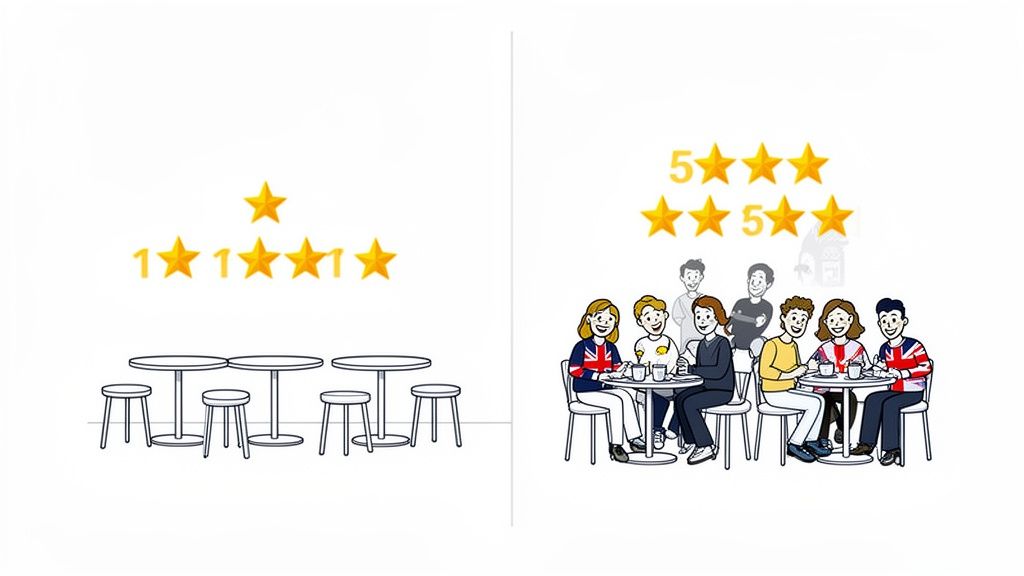
Think of a local café. A few unanswered Google reviews moaning about slow service can genuinely hurt its weekend takings. Now, picture an owner who replies thoughtfully to every single piece of feedback. They thank the happy customers and sort out issues for the unhappy ones. Suddenly, their online profile isn't just a listing; it's a public record of outstanding customer service.
The Direct Hit on Customer Trust and Revenue
The real power of a good online reputation lies in building trust through online reviews. When potential customers see that others had a great experience, it instantly lowers the barrier to giving you a try. This digital word-of-mouth is incredibly potent.
For a small business, your online reputation is the new shop window. It’s what people see long before they decide to walk in, and it needs to reflect the quality and care you put into your work.
Here in the UK, a whopping 77% of customers check online reviews and star ratings before choosing a business. In a competitive market, that makes your reputation a critical factor.
This reality brings a few key things into sharp focus for any small business owner:
- Credibility is Currency: A strong, positive reputation is social proof. It tells newcomers you're a safe bet.
- Visibility Matters: Good reviews and active profiles boost your local SEO, helping you climb higher in Google Maps and search results.
- Feedback is a Gift: Every review, good or bad, is a direct line into your customers' experience. Use it to get better.
Shifting from Reactive to Proactive
At the end of the day, managing your online presence isn't a chore—it’s a core part of running a modern business. A hands-off approach means you’re letting everyone else, from happy customers to grumpy ones, define your brand’s story. By getting involved, you get to guide the conversation.
This is about more than just replying to comments. It means having a system to know when and where people are talking about you. A good reputation monitoring service gives you that oversight without you having to manually stalk dozens of sites every day. The rest of this guide is a playbook for setting up these systems, engaging with feedback, and building a reputation that fuels growth.
Setting Up Your Reputation Monitoring System on a Budget
You can't manage what you don't measure. But for a small business, the idea of setting up a complex, expensive monitoring system can be overwhelming. The good news? You don’t need a huge budget to listen effectively; you just need to be smart about where you focus your attention.
It all starts with pinpointing the digital spaces where your customers actually hang out. A one-size-fits-all approach is a massive waste of time. You need to identify the platforms that directly influence your specific customer base.
For instance, a local electrician in Manchester will find their reputation lives and dies on platforms like Google Maps, Checkatrade, and local Facebook groups. On the flip side, a B2B marketing consultant based in London should prioritise conversations happening on LinkedIn and in niche industry forums. The context is everything.
Choosing Where to Listen
To avoid getting swamped, start by mapping out your key channels. This isn't about covering the entire internet—it's about being present where it truly counts for your business.
- Review Sites: Which platforms are most relevant to your industry? This almost always includes your Google Business Profile, but could also mean Trustpilot for e-commerce, TripAdvisor for hospitality, or other trade-specific sites.
- Social Media: Where does your target audience ask for recommendations or share experiences? For many, this will be Facebook and Instagram, but don't overlook Reddit. Candid, unfiltered conversations often take place there in specialised communities (subreddits).
- Forums and Communities: Are there specific online forums or message boards dedicated to your industry or local area? A single mention here can carry serious weight.
Once you know where to listen, you can build a simple, affordable system to track the conversations happening there.
Building Your Low-Cost Monitoring Dashboard
Manually checking a dozen websites every day is inefficient and just not sustainable for a busy owner. This is where an affordable tool becomes your best friend, acting as your eyes and ears online without breaking the bank. A platform like ForumScout lets you automate this entire process on a small business budget.
Here’s a practical look at setting up your keyword tracking to catch the mentions that matter most. This dashboard from ForumScout shows a simple setup tracking brand mentions across various channels.
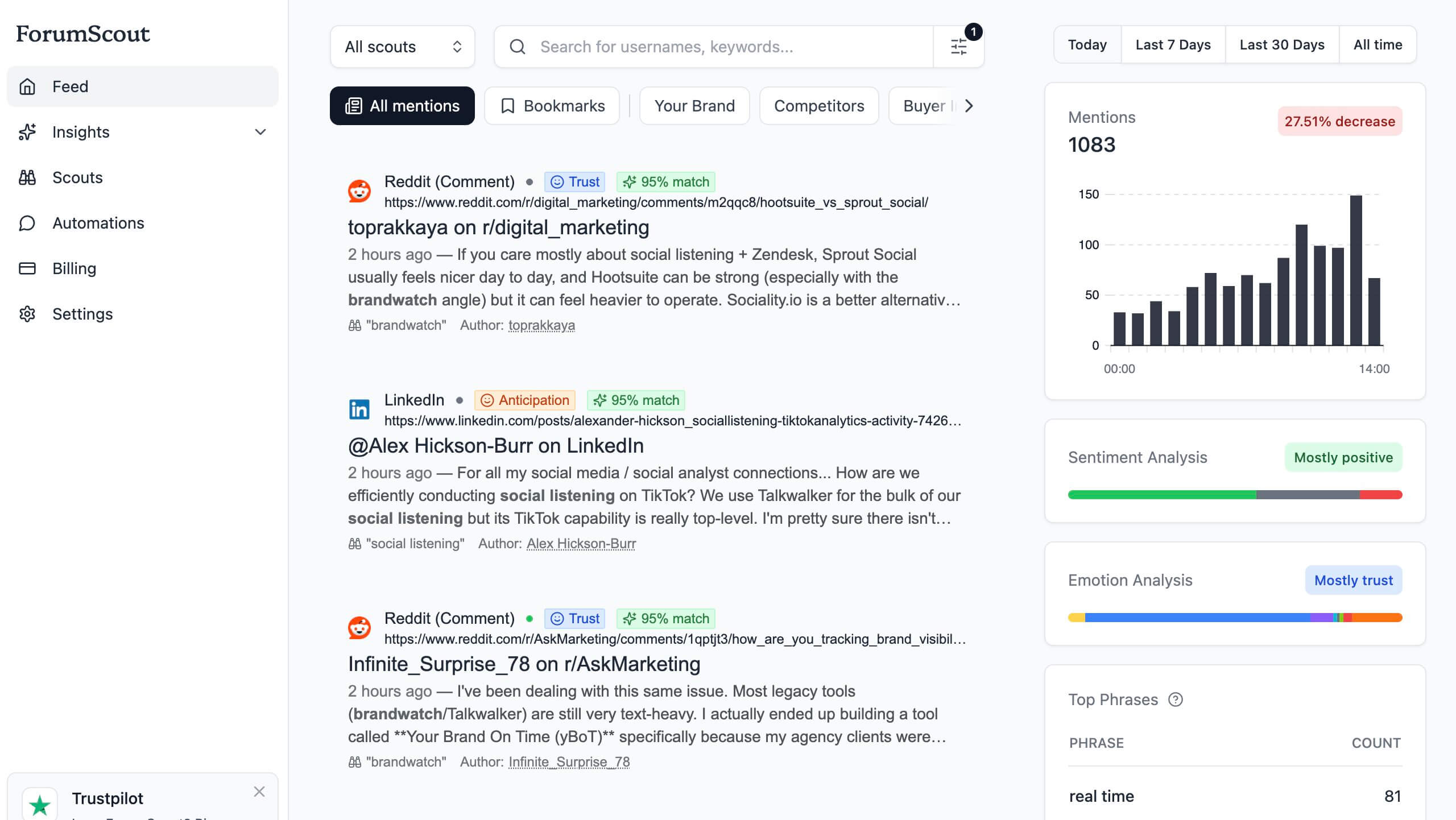
The key is to create a project that monitors not just your brand name, but a wider net of relevant terms, delivering alerts directly to you or your team.
Your goal is to get notified about a specific set of keywords. Think beyond just your company name; a comprehensive list gives you a much clearer picture of your online reputation.
An effective monitoring system isn't about catching every single mention. It’s about catching the right mentions—the ones that represent either a significant risk or a golden opportunity—so you can act quickly.
To get you started, here is a foundational setup that any small business can implement to cover the most critical areas of their online reputation.
Table: Essential Monitoring Setup for a Small Business
| Monitoring Area | Key Platforms | Example Keywords to Track | Recommended Tool Feature |
|---|---|---|---|
| Direct Brand Mentions | Google, Facebook, Reddit | "Your Brand Name", "yourbrand.com", common misspellings | Instant Email/Slack Alerts |
| Local Service Queries | Google Maps, Local Forums | "best [service] in [city]", "[service] near me" | Geolocation Filtering |
| Key Personnel | LinkedIn, Industry Forums | "Owner's Name", "CEO Name" | Author Tracking |
| Competitor Chatter | Reddit, Twitter/X, Forums | "[Competitor Name] review", "alternative to [Competitor]" | Competitor Analysis Dashboard |
This table provides a solid baseline. As you gather data, you can refine your keywords and add new channels to ensure you're always listening where it matters most.
Essential Keywords to Track From Day One
Your initial setup should include a mix of keywords designed to cover all the bases. This creates a safety net, ensuring you're notified about direct feedback, competitive chatter, and even potential new customers.
Here's a sample list to get you started:
- Your Brand Name: Always include common misspellings and variations. For "Andy's Plumbing & Heating," you'd also want to track "Andy's Plumbing," "Andys Heating," and "Andy Plumbing."
- Key People: Track the names of public-facing figures, like the owner, head chef, or lead consultant. Their reputation is tied to the business.
- Core Products or Services: Monitor terms like "best local accountant in Bristol" or "emergency roof repair Leeds" to find people actively looking for what you offer. This is low-hanging fruit.
- Competitor Names: Keep an eye on what people are saying about your main rivals. This can reveal their weaknesses and highlight golden opportunities for you to win over their dissatisfied customers.
Many cheap social listening tools now offer AI-powered filtering, which is a game-changer for small businesses. You can set rules in plain English, like "ignore all job postings," to drastically reduce noise and ensure the alerts you get are genuinely relevant.
This simple feature transforms your monitoring from a time-consuming chore into a streamlined, actionable workflow. When a new Reddit thread mentions your business, you get a notification, allowing for a swift, measured response. This gives you a scalable system to stay informed without being glued to your screen 24/7.
How to Respond to Good, Bad, and Ugly Feedback
Once your monitoring system is up and running, the alerts will start trickling in. This is where the real work begins. Your response to feedback—whether it’s a glowing review, a harsh complaint, or just a simple question—is a public test of your brand’s character. How you engage matters just as much as the initial comment, if not more.
Every reply is a chance to either double down on a positive feeling or fix a negative one. Get this right, and you'll turn happy customers into vocal advocates and show prospects you genuinely care, even when things go sideways.
Handling Glowing 5-Star Reviews
It’s tempting to see a 5-star review, give yourself a pat on the back, and move on. Job done, right? Not quite. Leaving positive feedback unacknowledged is a massive missed opportunity. A quick, personal reply amplifies the review’s impact and subtly encourages other happy customers to chime in.
The key is to be specific and personal. Ditch the generic "Thanks for the review!" and mention a detail from their comment. It shows a real person read it and made the customer feel heard.
Here’s a real-world example. A customer reviews a local bakery: "The almond croissants are incredible, and the staff were so friendly even during the morning rush!"
Do This: "Hi Sarah, thank you so much for the lovely feedback! We're thrilled you enjoyed the almond croissants—they're a team favourite. We'll be sure to pass your kind words on to the morning crew. Hope to see you again soon!"
Not That: "Thanks for your review. We appreciate the feedback."
The first one is warm and reinforces the specific points they loved. The second feels like it was written by a robot.
Navigating Nuanced 3-Star Critiques
Three-star reviews are gold. Seriously. These are often the most valuable pieces of feedback you’ll get. The customer didn't hate their experience, but something was off. They’re giving you a chance to improve.
Your goal here isn't just to apologise; it's to show you're listening and taking action. Acknowledge their specific point, thank them for their honesty, and briefly mention what you plan to do about it. It proves you're committed to getting better.
Let's say a customer reviews a small e-commerce shop: "Love the product, but the delivery took two days longer than expected, and tracking information wasn't updated."
Your response should validate their frustration without making excuses.
- Acknowledge and Thank: Kick off by thanking them for their order and their candid feedback.
- Address the Issue: Mention the delivery delay and tracking problem directly. Apologise for the hassle.
- Offer a Solution or Action: Let them know you're looking into your courier services or internal processes to stop it from happening again.
This approach transforms a so-so experience into a public display of fantastic customer service.
Tackling Vague 1-Star Complaints
Ah, the dreaded 1-star review with a vague, unhelpful comment like "Terrible service." It’s frustrating. Your first instinct might be to get defensive or dismiss it, but that’s the worst thing you can do. Remember, potential customers are watching.
The trick is to stay professional and take the conversation offline. You want to show that you take all feedback seriously and want to make things right, even when you have nothing to go on.
A customer leaves a one-word review for a cleaning service: "Disappointed."
Do This: "Hi Mark, we're very sorry to hear that your experience didn't meet your expectations. We're committed to providing a 5-star service and would appreciate the opportunity to understand what went wrong. Please could you contact us directly at [email address] or [phone number] so we can make this right? Thank you."
This response hits all the right notes: * It publicly shows you care. * It avoids an online argument. * It gives you a genuine chance to fix the problem privately.
Responding to Casual Social Media Mentions
Not all feedback is a formal review. A casual question on Facebook, a comment on X (formerly Twitter), or a mention in a Reddit thread is just as important. Responding quickly and helpfully shows you’re engaged and accessible.
Treat these interactions as chances to build a community. Be human, not a faceless corporation. If someone asks about your bank holiday hours, a quick, friendly reply does the trick. If someone posts a photo of your product, thank them and share it.
This consistent, low-key engagement is a vital part of any online reputation management for small business playbook. It shows there are real people behind the brand who are listening and part of the conversation, building a layer of trust that slick marketing campaigns just can't buy.
Proactively Building a Positive Digital Footprint
Good online reputation management isn't about playing defence; it's all about building a strong offence. Instead of just waiting around to react to a bad comment, the real goal is to build such a strong, positive digital footprint that it defines your brand before anyone else gets the chance.
Think of it as building a buffer. When you already have a solid foundation of great reviews, happy customer stories, and genuinely helpful content online, a single negative comment loses its power. It just becomes an outlier, not the main story. The key is making this whole process a natural part of how you run your business.
Cultivating a Stream of Positive Reviews
The best defence against negative reviews is an overwhelming number of positive ones. A steady, authentic stream of happy feedback is the absolute cornerstone of a great reputation. The trick is encouraging your satisfied—and often silent—customers to actually share their experiences without being pushy.
You have to make it dead simple for them and, crucially, ask at exactly the right moment. That little window right after they’ve had a great experience? That's your sweet spot.
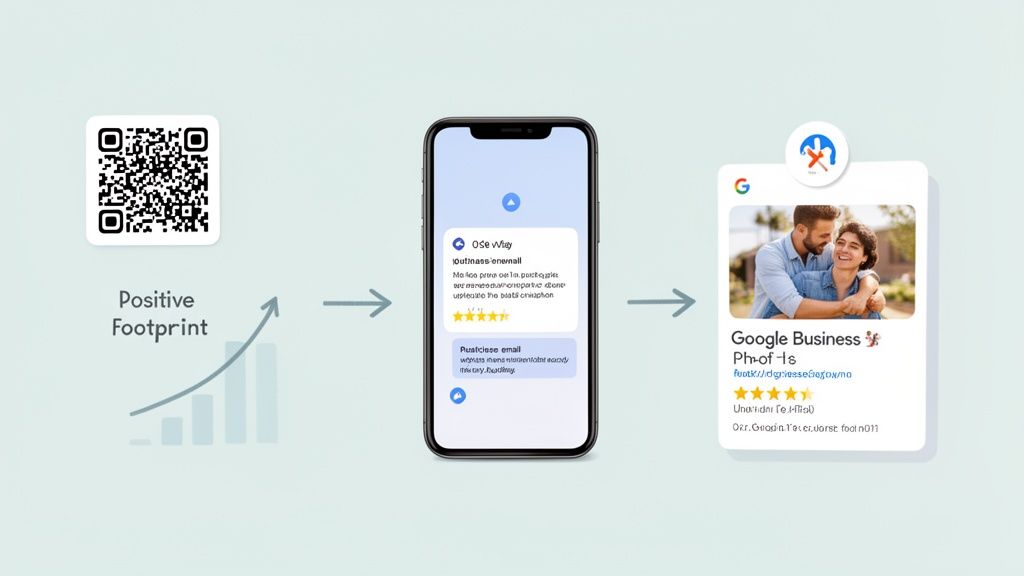
- Post-Purchase Emails: A few days after a product arrives or a service is done, send a simple automated email. Don't jump straight to asking for a review. Ask for their private feedback first. If it's glowing, then you can gently point them toward a public review site.
- Point-of-Sale Prompts: For any business with a physical location, a small sign with a QR code at the till can work wonders. A simple "Enjoyed your visit? Let us know!" is often all it takes to boost your review numbers.
- Personalised Asks: If you offer high-value services, nothing beats a direct, personal email. A quick note from the owner or their main point of contact feels genuine and is incredibly effective.
The aim isn't to squeeze a review out of every single customer. It's about removing every bit of friction for the ones who are already delighted. A simple link or QR code can be the tiny nudge that turns a happy thought into a published 5-star review.
Timing is everything. For a restaurant, you ask right after the meal. For an online shop, it's a few days after the parcel has landed. Pinpoint that moment of peak satisfaction and build your request around it.
Using SEO to Control Your Brand Narrative
Beyond reviews, you can actively shape what people find when they Google your business. This is where a bit of basic search engine optimisation (SEO) becomes an incredibly powerful reputation tool. Your goal is to completely own the first page of Google for any search about your brand.
By creating and promoting valuable content that you control, you can push any potential negative results down to page two, where almost no one will see them. It's like building a digital wall of positive assets around your brand.
Think about what a potential customer might be searching for. It won't just be your business name. They might type in "reviews of [Your Business]" or "[Your Business] vs [Competitor]." Your content needs to show up for these searches.
Here are a few types of content that work really well for this:
- In-Depth Case Studies: Show off your best work. Detail a client's problem, walk through how you solved it, and highlight the brilliant results.
- Helpful Blog Posts: Write articles that answer the questions your customers are always asking. This positions you as a helpful expert and creates a positive asset that can rank on Google.
- Founder/Team Bios: People buy from people. A simple page introducing your team adds a human touch and gives you another positive result tied to your brand name.
To make sure this effort pays off in the long run, it's vital to follow proven reputation management best practices, especially as your business grows.
Optimising Your Most Important Digital Asset
For almost any local business, your Google Business Profile (GBP) is the single most important bit of digital real estate you own. It’s often the very first impression a customer gets. If you neglect it, you’re essentially letting Google and random users define your business for you.
A fully optimised GBP is a reputation-building machine. It's not a profile you set up once and forget about; it’s a living, breathing platform for connecting with your customers.
- Keep Information Current: Make sure your opening hours, address, and phone number are always 100% accurate. Nothing annoys a potential customer faster than showing up to a closed shop because your hours were wrong online.
- Upload High-Quality Photos Regularly: Show, don't just tell. Post clear, recent photos of your shop, your team in action, and your products. This builds trust and proves your business is active and cared for.
- Utilise the Q&A Feature: Get ahead of the game by answering common questions in the Questions & Answers section yourself. This saves customers time and lets you frame the answers perfectly.
- Create Regular Posts: Use Google Posts to share updates, special offers, or news. Every post is another positive signal to Google that your business is active and relevant, which helps you stand out in local searches.
By taking control of these elements—actively encouraging reviews, creating positive content for SEO, and optimising your GBP—you stop being reactive. You’re not just managing your reputation anymore; you’re actively building it into your most valuable asset.
What to Do in a Crisis and How to Measure What Matters
Even with the most careful planning, a reputation crisis can hit any small business. It could be a single social media post going viral for all the wrong reasons, a service outage that frustrates a ton of customers, or an internal slip-up that suddenly becomes very public. When that happens, panic is your biggest enemy. A calm, methodical response is what will see you through.
The trick is to act fast, but not recklessly. Your very first move should be to hit pause on all your scheduled marketing posts and get the facts straight. What actually happened? Who was affected? Getting a clear picture stops you from making things worse by responding with the wrong information.
Once you have the basics, put out a brief holding statement. This isn't the full apology or a detailed explanation; it’s just a way to publicly acknowledge the situation and show you’re dealing with it. Something as simple as, "We're aware of the issue with [X] and are looking into it now. We’re taking this seriously and will share more information as soon as we can," can buy you precious time.
A Simple Crisis Communication Plan
When things go south, you won’t have time to dream up a strategy. Having a basic plan ready to go is a massive advantage for any small business trying to manage its online reputation.
- Acknowledge and Own It: Take responsibility, and do it quickly. Ditch any defensive language or attempts to shift blame. A sincere, "We messed up, and we're sorry," is incredibly effective.
- Be Transparent: Explain what happened, what you're doing to fix it, and what you’ll do to make sure it doesn’t happen again. Be honest, even when it’s uncomfortable.
- Create a Single Source of Truth: Funnel all enquiries to a specific page on your website or a dedicated social media thread. This helps stop rumours and misinformation from spreading.
- Learn From It: After the dust has settled, do a post-mortem. What went wrong? Where can you improve your processes? Use the mistake as a chance to get better.
Following these steps shows customers you’re accountable and committed to doing the right thing, which can, believe it or not, actually build trust in the long run.
Turning Reputation into Real Data
Okay, so you've handled any immediate fires. But how do you know if your day-to-day reputation efforts are actually paying off? You need to move beyond gut feelings and start tracking Key Performance Indicators (KPIs) that turn the fuzzy concept of ‘reputation’ into cold, hard data.
This doesn't have to be complicated. For a small business, a few core metrics can tell you pretty much everything you need to know about your online health.
Your aim here is to create a simple monthly report that shows trends over time. This is the data that will shape your strategy, telling you where to focus your energy for the biggest impact.
Start by tracking these essential KPIs:
- Average Star Rating: Keep an eye on your overall rating on key sites like your Google Business Profile. Is it trending upwards? A 0.1-star improvement might not sound like a huge deal, but it’s a solid sign of progress.
- Review Volume: How many new reviews are you pulling in each month? An increase here, especially if they’re positive, shows your review acquisition plan is working.
- Sentiment of Online Mentions: What’s the general vibe of the conversations about your brand? Your monitoring tool can analyse mentions on social media and forums to give you a sentiment score (positive, negative, or neutral). A rising positive sentiment score is a clear win. To really get into the weeds, you can learn more about sentiment analysis for social media and how it provides actionable insights.
Creating Your Simple Monthly Report
You can pull most of this data directly from your monitoring tool's dashboard and your Google Business Profile insights. Just pop it into a simple spreadsheet to track the numbers month-on-month.
Here’s a snapshot of what it could look like:
| Metric | Last Month | This Month | Change | Notes |
|---|---|---|---|---|
| Google Star Rating | 4.2 | 4.3 | +0.1 | Gained 5 new 5-star reviews. |
| Total Reviews | 85 | 92 | +7 | New QR code at the till is working. |
| Positive Sentiment | 65% | 72% | +7% | Responding to all mentions quickly. |
| Negative Mentions | 5 | 2 | -3 | Resolved two customer issues. |
This simple report gives you a crystal-clear, at-a-glance view of how you’re doing. It proves the value of your work and helps you catch small issues before they become full-blown crises, turning reputation management from a reactive chore into a smart, data-driven strategy for growth.
Your Questions, Answered
Jumping into online reputation management always brings up a few questions. I've pulled together the most common ones we hear from small business owners in the UK to give you some quick, straightforward answers.
How Long Does It Take to Repair a Bad Online Reputation?
Honestly, it's a marathon, not a sprint. You can expect to see the first signs of improvement within three to six months of consistent work. This is the stage where you're actively responding to new reviews and kicking off a strategy to get more positive feedback. You might notice your average star rating start to creep up.
For a more significant fix—like pushing negative search results down and building a genuinely positive online presence—you should realistically plan for six to twelve months. The key here is consistency over intensity. A steady, ongoing effort will always win out over short, frantic bursts of activity.
Can I Get Fake or Unfair Negative Reviews Removed?
It’s possible, but don't count on it being easy. Platforms like Google and Trustpilot have clear policies against fake, defamatory, or off-topic reviews. If you spot a review that breaks these rules, you should flag it immediately through their official process and provide as much evidence as you can.
But here's the thing: if a review comes from a genuine customer experience, no matter how negative, it’s almost certainly staying up.
The best defence isn't removal—it's dilution. Your time is better spent responding professionally to that unfair review, then focusing all your energy on burying it under a flood of genuine, positive reviews from your happy customers.
How Much Should a Small Business Budget for Reputation Management?
You can get started on a shoestring budget. Your biggest initial investment is simply your time. That said, I strongly recommend putting a small amount towards an affordable monitoring tool. It will save you hours and catch mentions you’d otherwise never see.
For instance, a tool like ForumScout has plans from just £19 a month. That's all you need for the essential monitoring and alerts to stay on top of your online reputation. Any budget beyond that really depends on other marketing activities you want to fold in, but the core function can be managed very cheaply.
Ready to take control of your online story without breaking the bank? ForumScout offers powerful, affordable social listening that helps you track brand mentions, find new customers, and protect your reputation. Start your free 7-day trial today and see what people are saying about you.